
Article Public Number: KA-01272
Coats Digital Knowledge Article
Product: GSDV4
Purpose & Scope:
The archive & style retrieve facility allows the movement of data between databases. This allows easy portability of data for customers which have multiple databases.
Solution:
Retrieve analysis through the tools that is housekeeping utilities
Instructions:
Step 1: Log into GSD, click the tools button and select the housekeeping utilities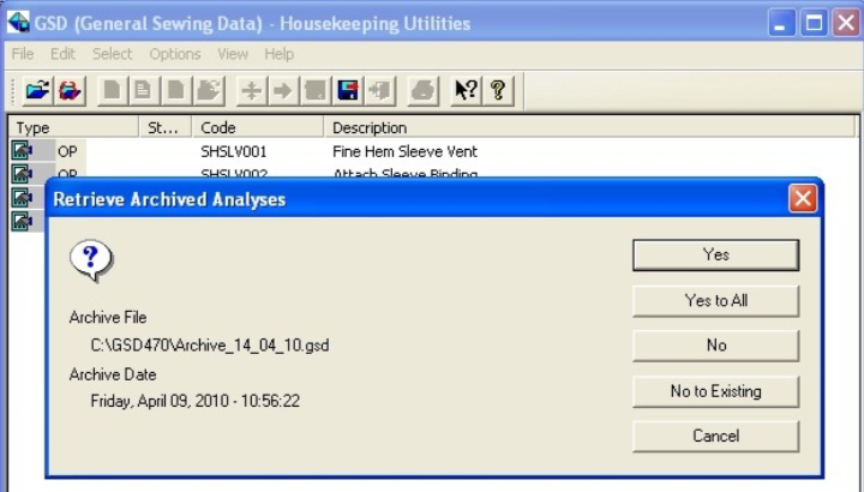
Step 2: Select OPTIONS à RETRIEVE ANALYSES. You will be shown an explorer view, from which you can navigate to the relevant folder where your retrieval file is.
Step 3: When you have selected the file, the grid will be populated with the analyses for retrieval and you will be asked if you wish to retrieve as per the image below. 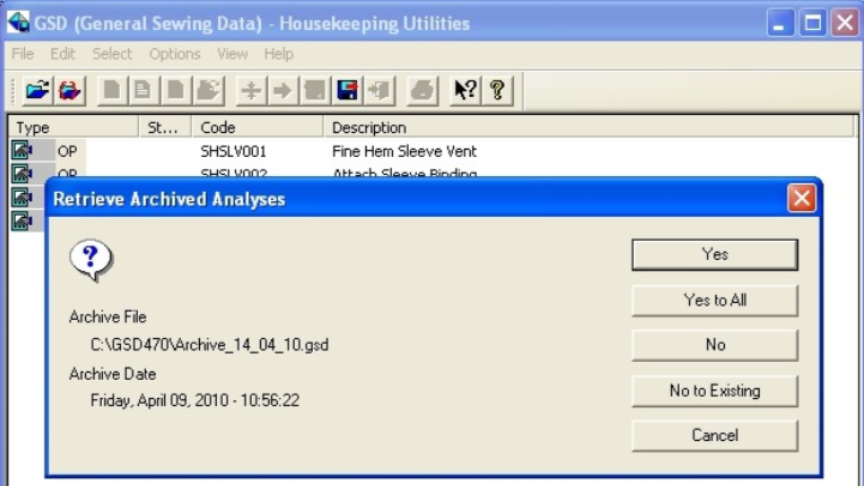
Step 4: When you press YES (or YES TO ALL), the system will retrieve the data in. However, if data already exists with the same analyses code, you will be shown the following image: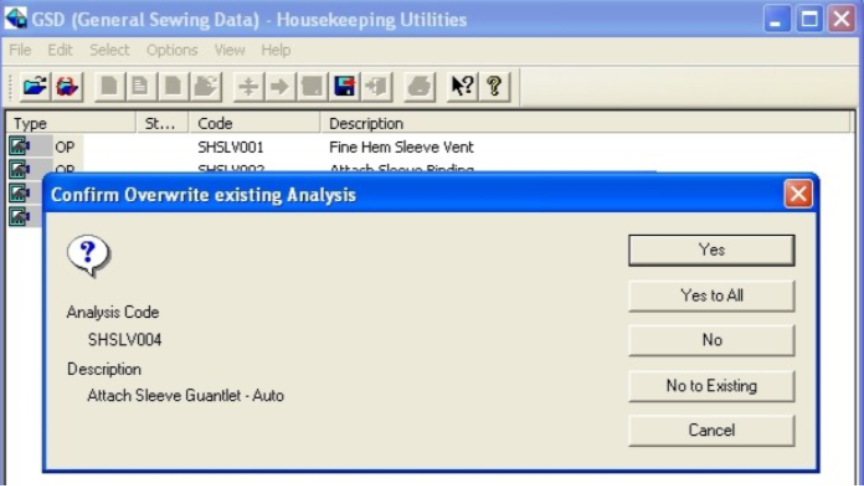
Step 5: A decision must then be made whether to either overwrite the existing or not.
Step 6: When all analyses have been retrieved, the system will ask you if the list can be cleared.
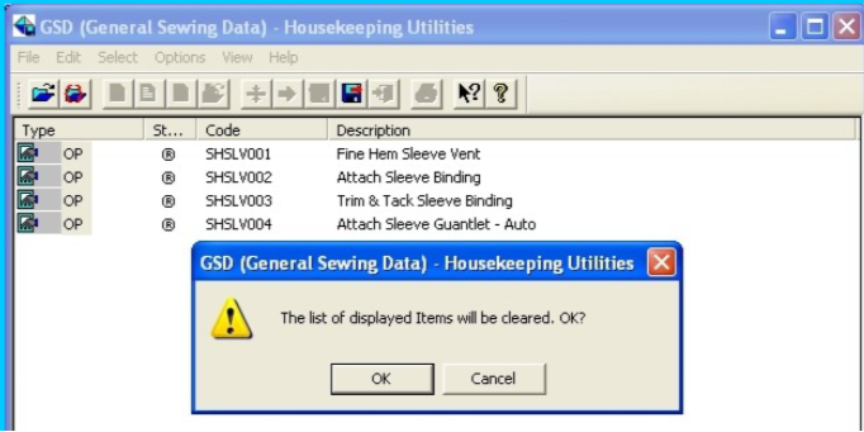
Step 7: Choosing to cancel at this stage will allow you to review what has been imported. Choosing OK will empty the list.
Outcome:
the analysis can be retrieved successfully as per above steps
Further reading:
Links to related articles