
Article Public Number: KA-01374
Coats Digital Knowledge Article
Product: GSDV4
Purpose & Scope:
If you are running any version of GSD between 4.51 and 4.80.02 (i.e. 4.51,4.60, 4.61, 4.70, 4.71, 4.72, 4.80.01, 4.80.02), and you would like to upgrade to the latest 4.82.26. Once you have finished upgrade, you will need to run a full Mass Update.
Solution:
Go to Tools - Housekeeping Utilities and run the Mass update from Options
Instructions:
Step 1 : Login GSD.exe, go to "Housekeeping Utilities" as below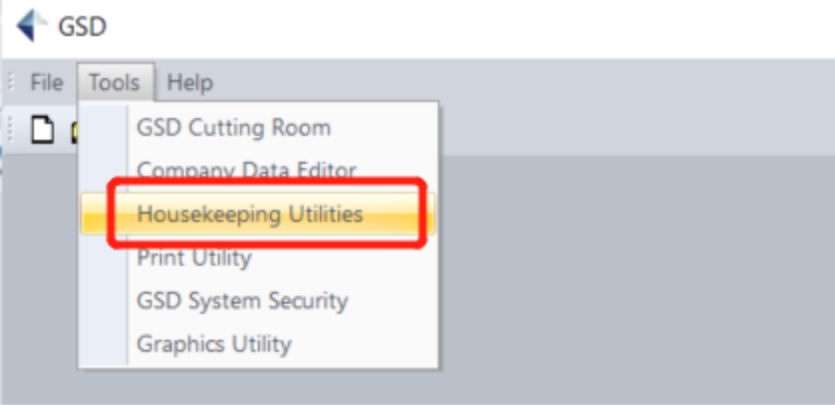
Step 2: Navigate to Options - Mass Update - All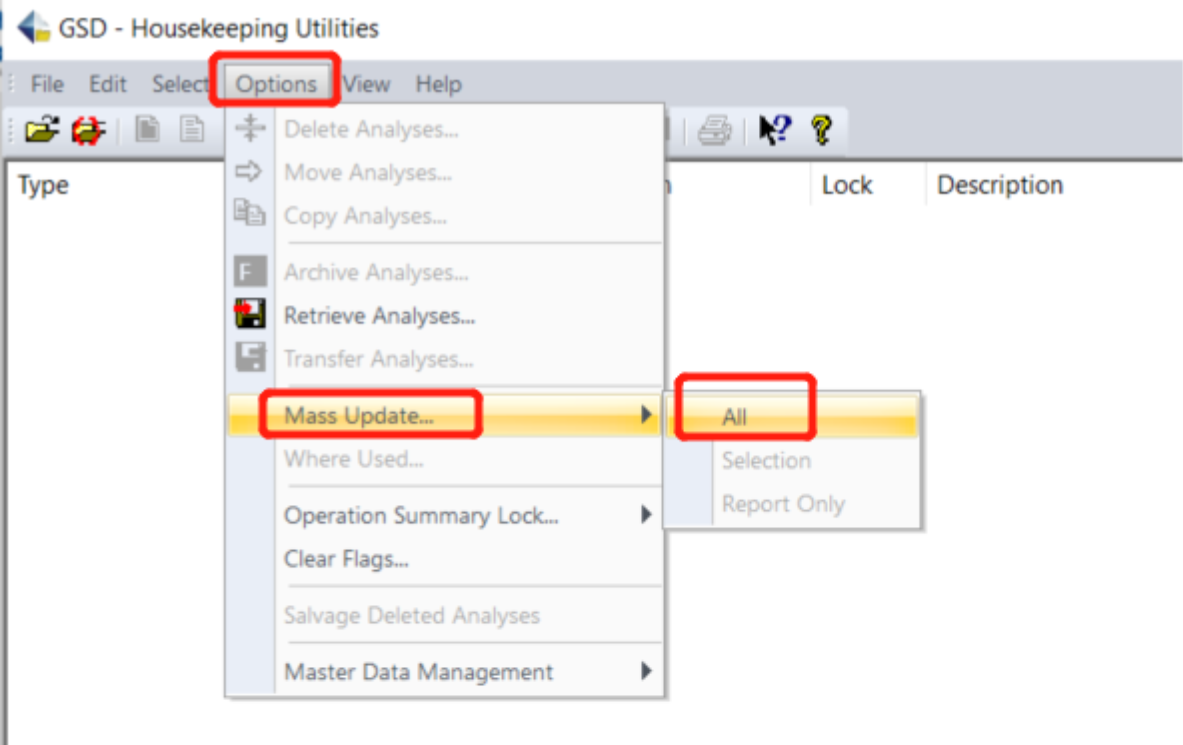
Step 3: Select "Mass update Analysis Details", click OK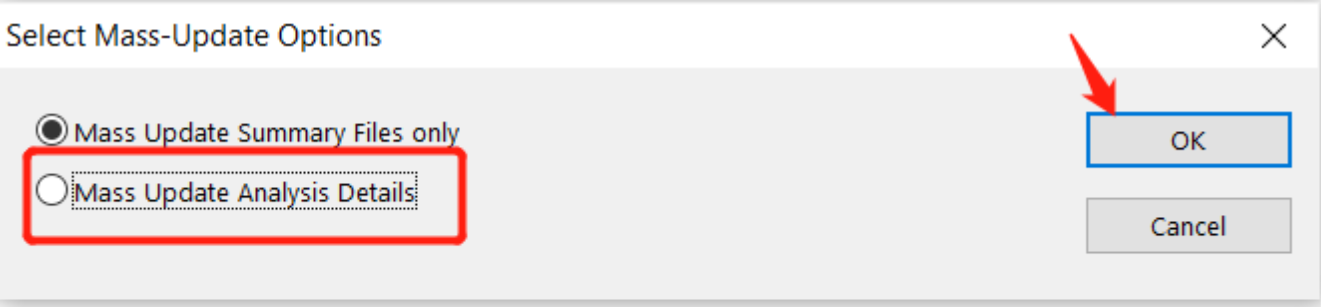
Step 4: With below pop up and click "OK"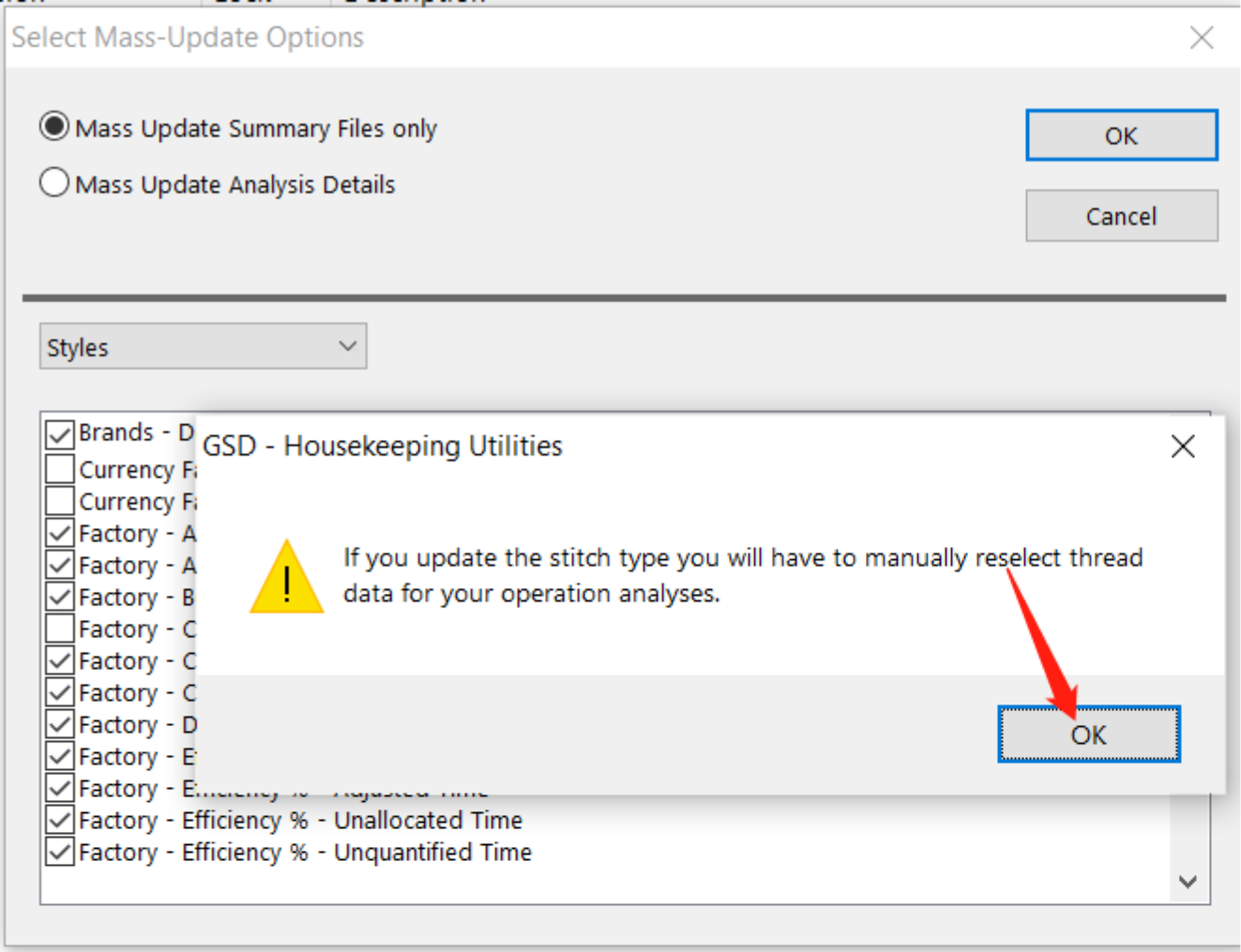
Step 5: Click "OK"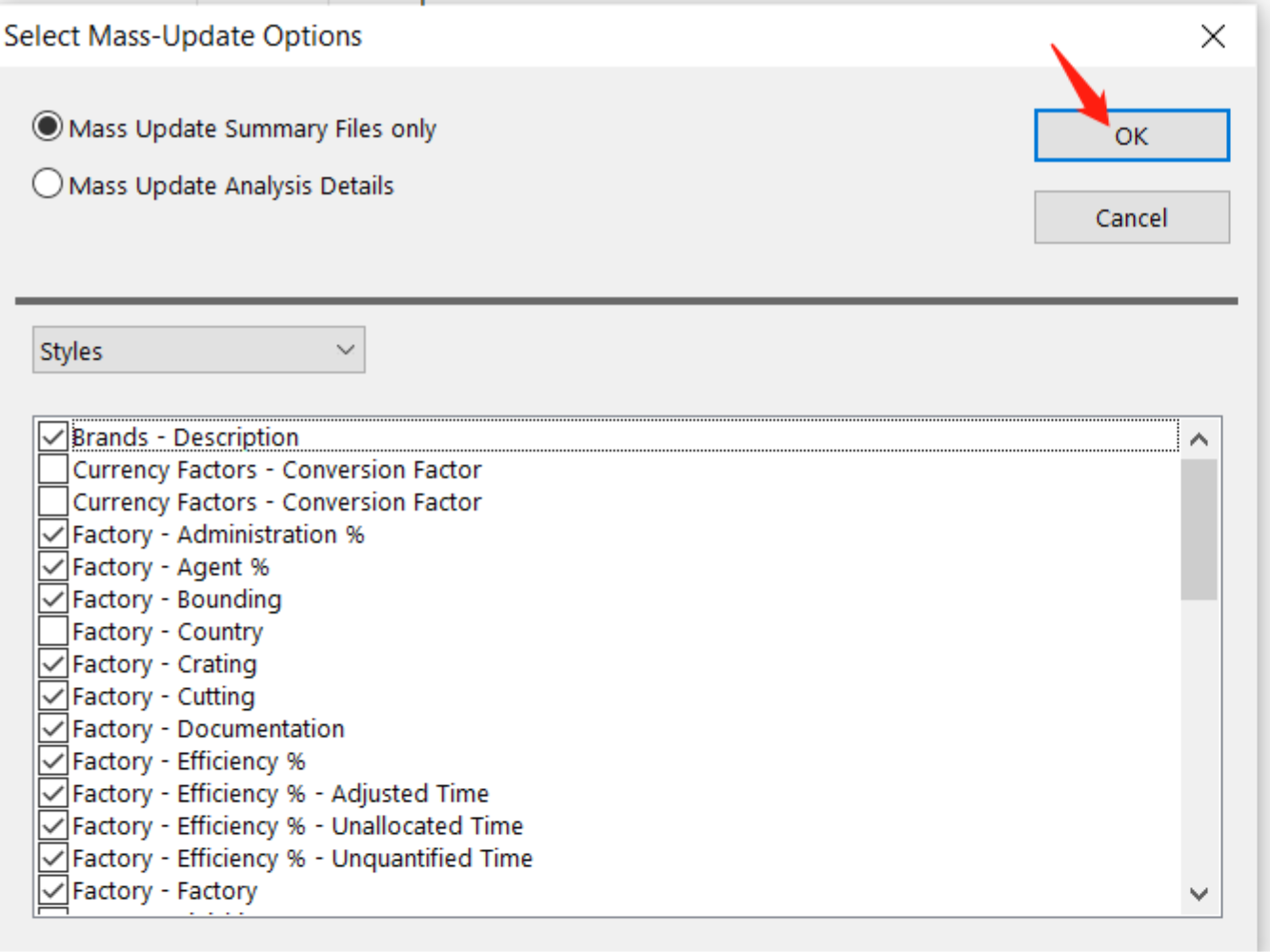
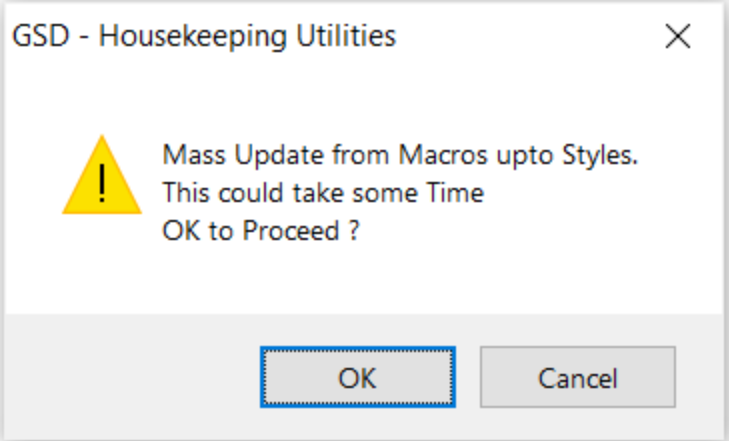
Step 6: Will above OK clicking, below pop up, once you select "OK" below, system will start to run the Mass update by sequence as below:
- Macro
- Operation
- Feature
- Style
Outcome:
Further reading:
Links to related articles