
Article Public Number: KA-01399
Coats Digital Knowledge Article
Product: GSDV4
Purpose & Scope:
You can choose to open the analysis in READ ONLY mode by clicking "OK" or you can "Cancel". If you choose to open the analysis in Read Only mode you will not be able to save any changes you make to the analysis. But you can save the analysis to any other number if you select "SAVE AS".
Should your computer system crash or GSD is not closed down correctly, the analysis open at that time will remained locked after the system has been re started. If this happens you will need to Unlock the analysis.
Solution:
We can unlock the analysis code via GSDSS.exe
Instructions:
Step 1: Suppose that you meet below warning when trying to open the analysis 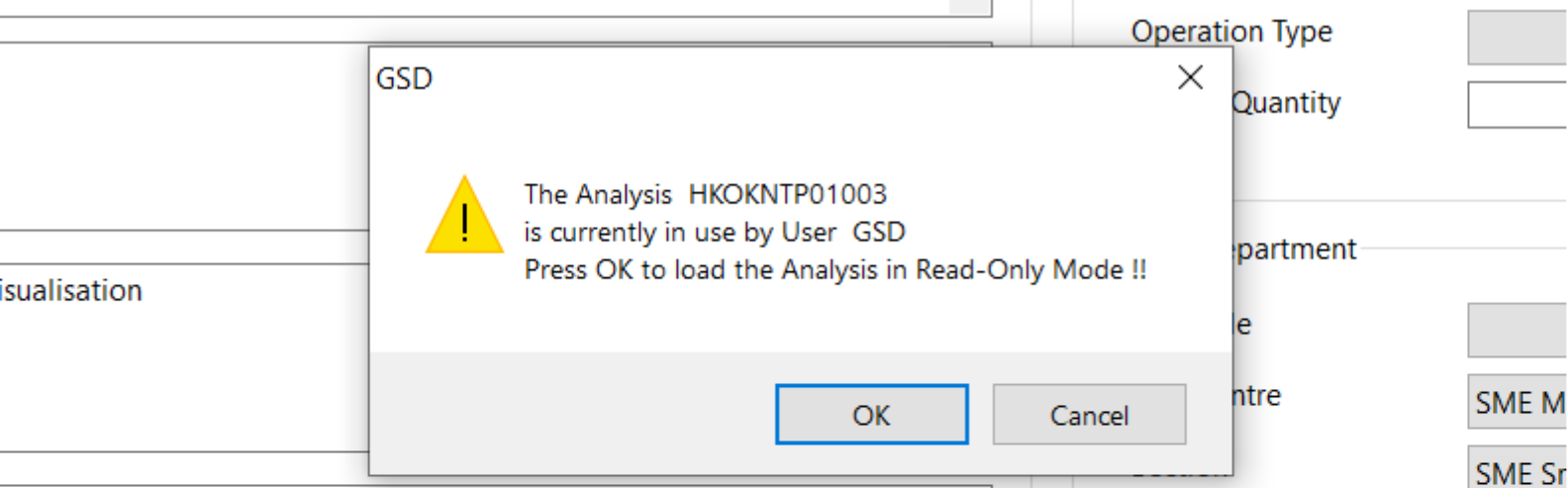
Step 2: Log in GSDSS.exe (gsd system security application)->select file->click open->select locked analysis list tab 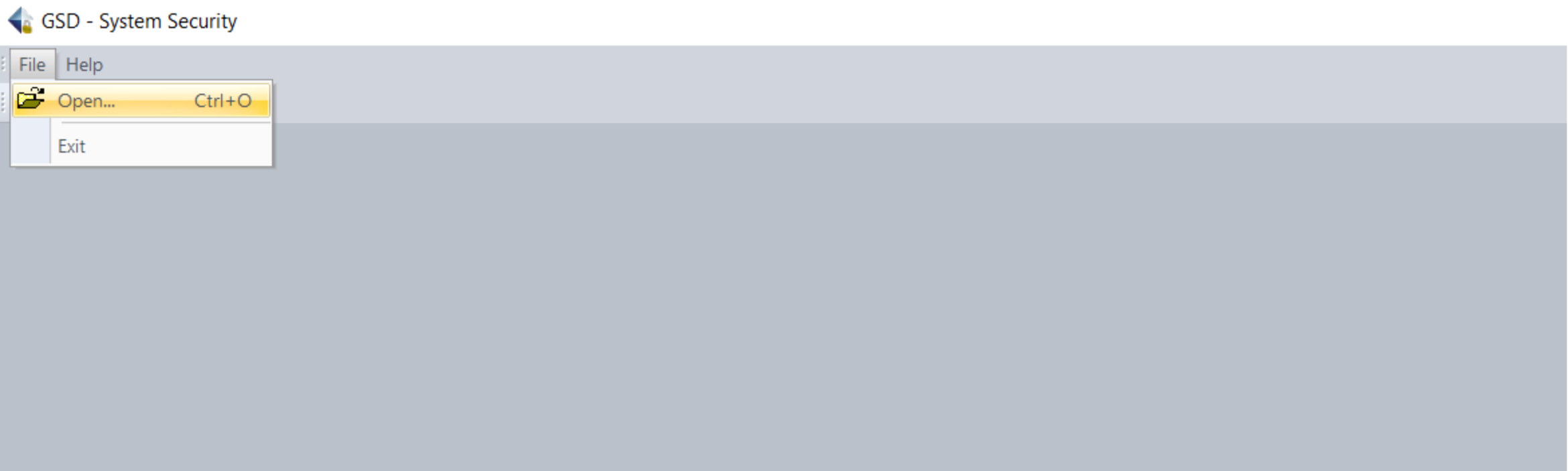
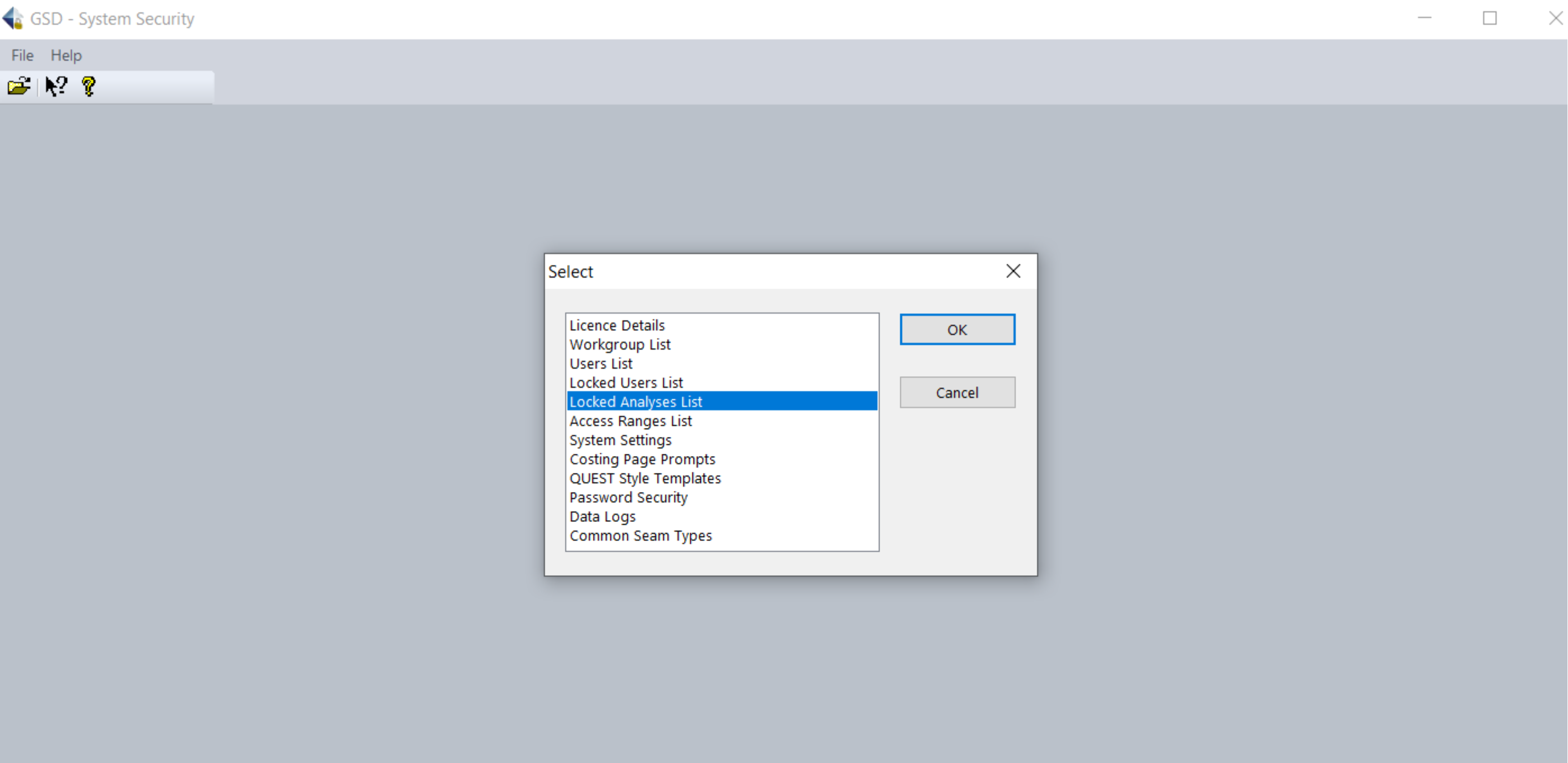
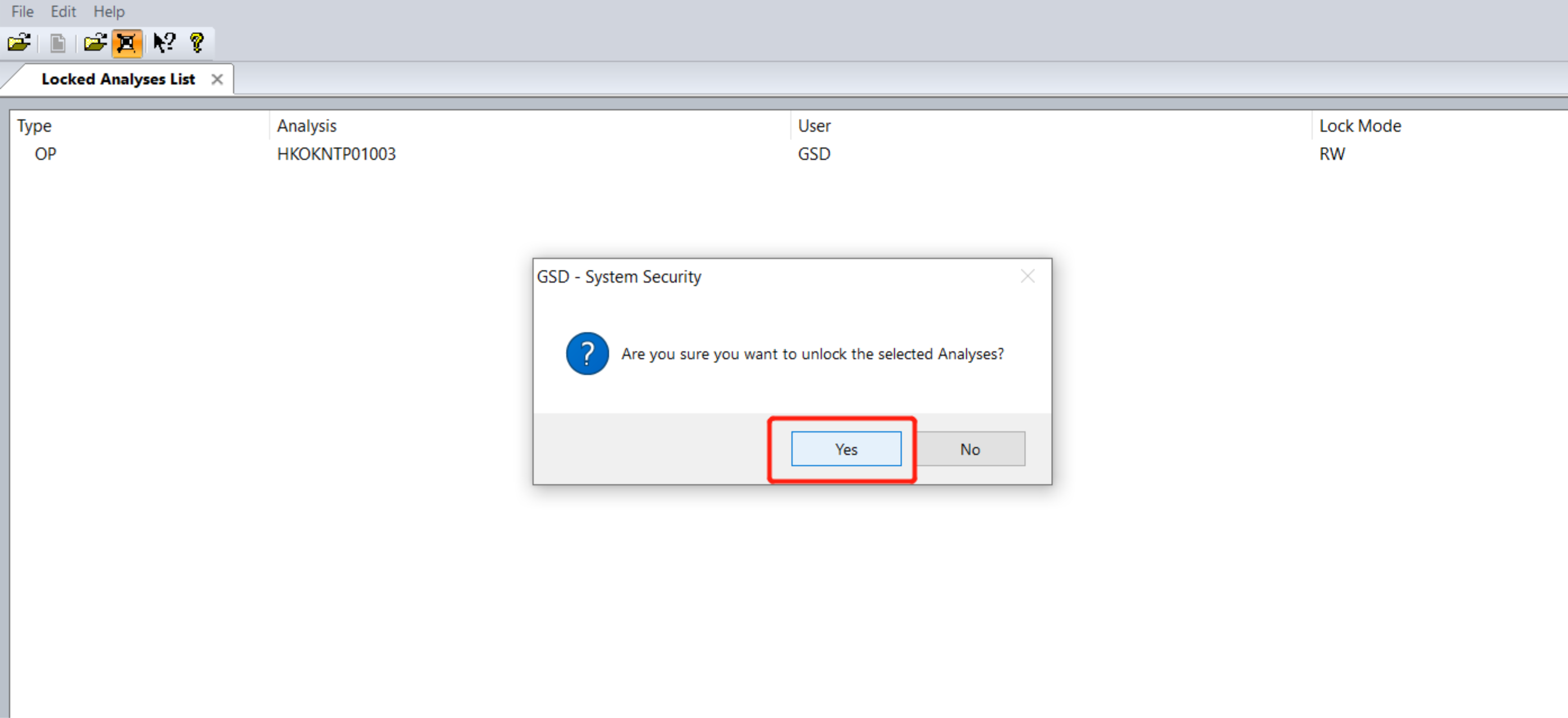
Step 3: Select the analysis code firstly->click the unlock button in toolbar->click yes to unlock it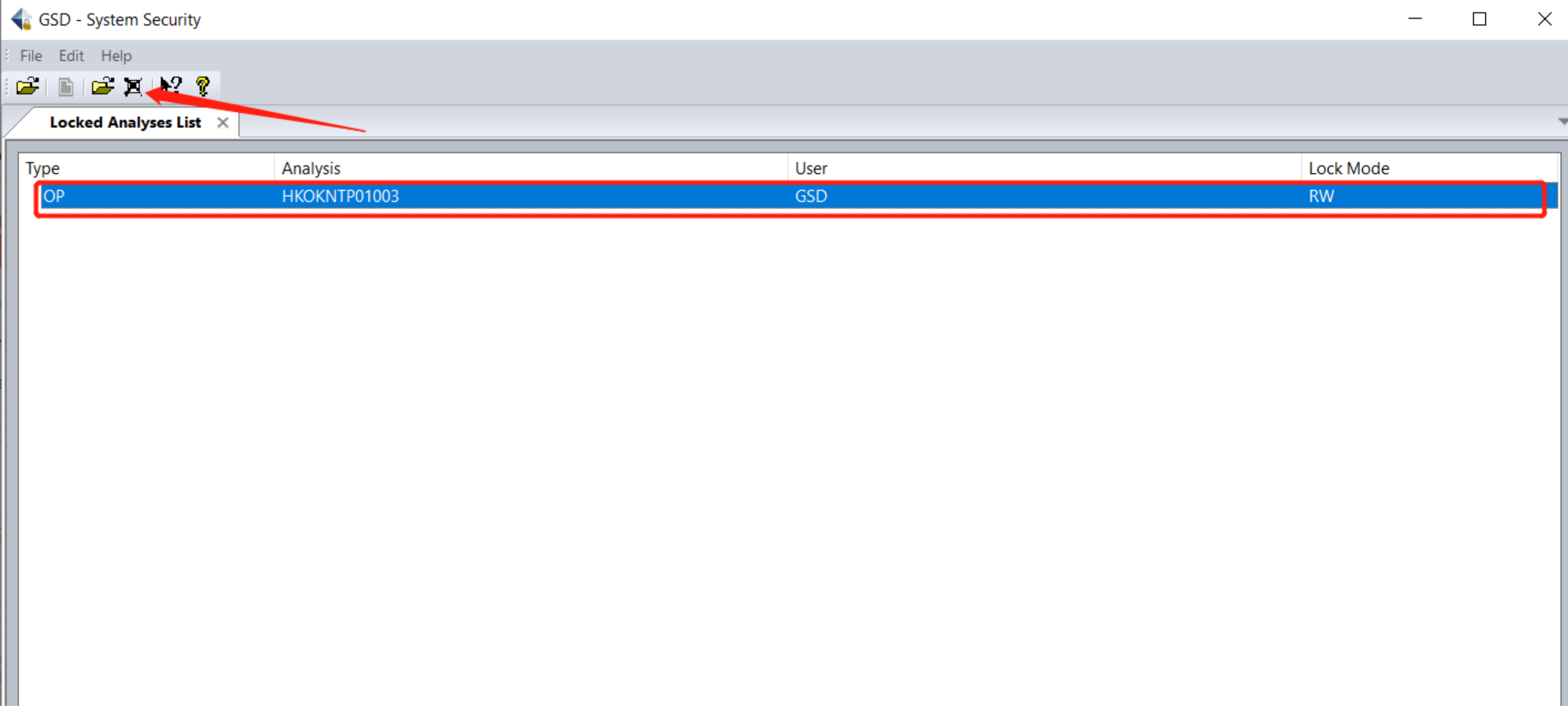
Outcome:
You can unlock the anlysis code via GSDSS application
Further reading:
Links to related articles