Article Public Number: KA-01326
Coats Digital Knowledge Article
Product: GSDV4
Purpose & Scope:
The highlight icon was disable and user cannot select color for analysis lines.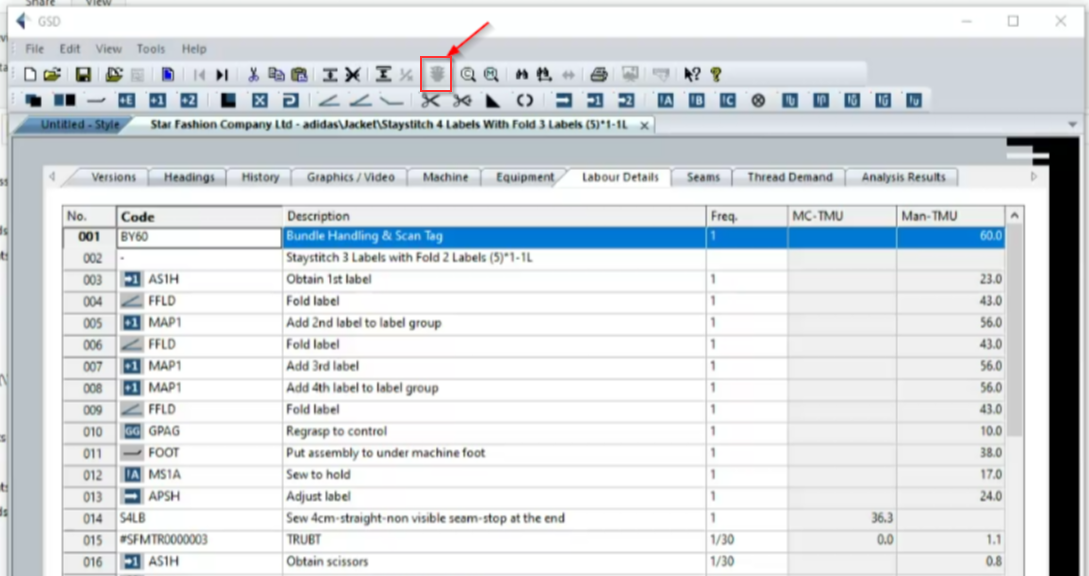
Solution:
Setup in GSDSS -> System settings -> Settings -> Color settings
Instructions:
Step 1: Log in GSDSS with Supervisor account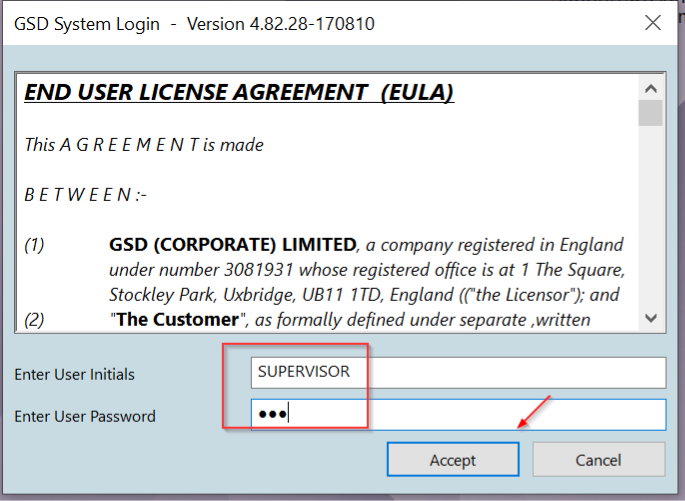
Step 2: Click Open icon -> select System settings -> OK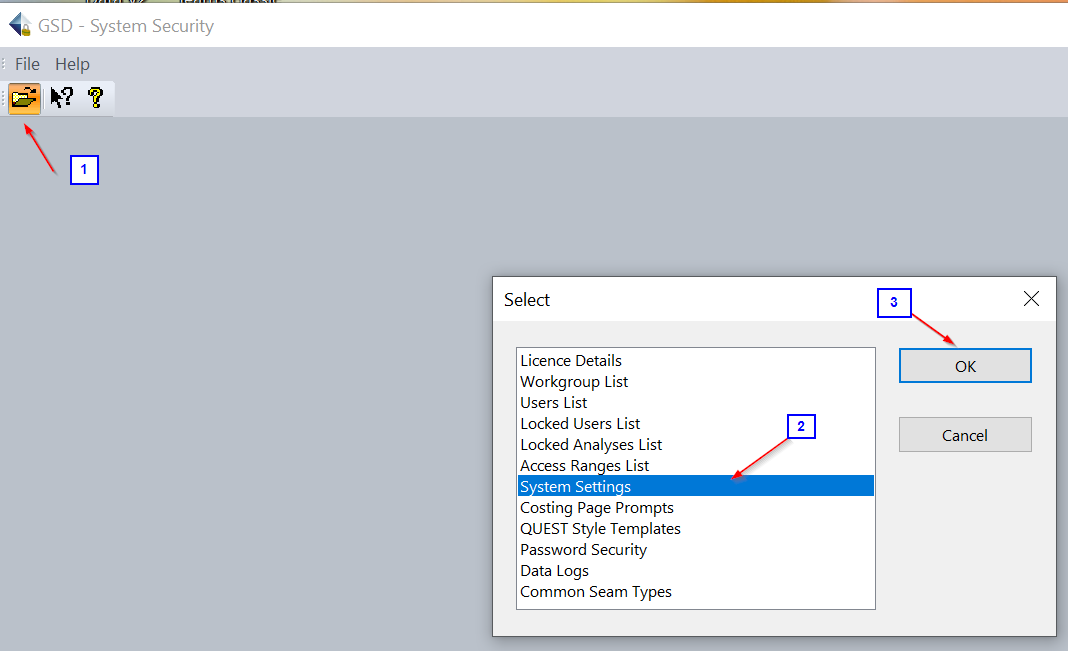
Step 3: Select tab "Settings"
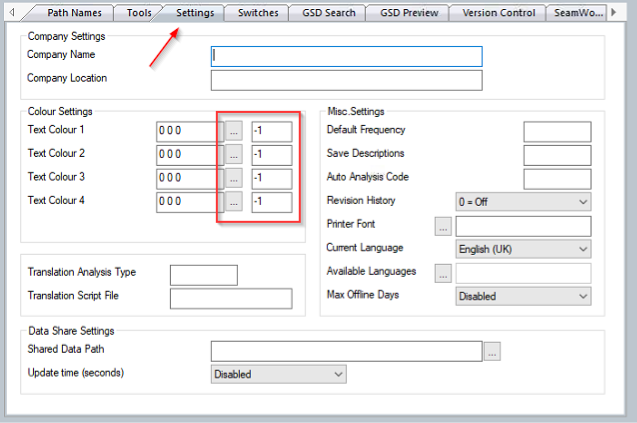
Step 4: Setup color and sequence as below -> click "Save" button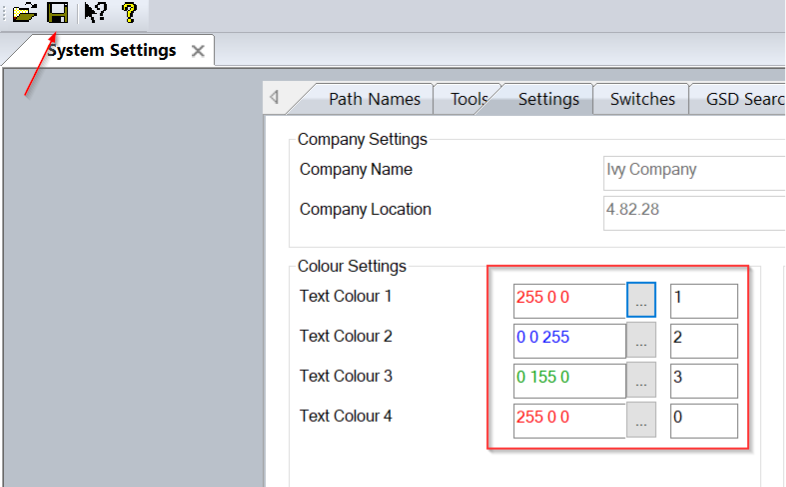
Outcome:
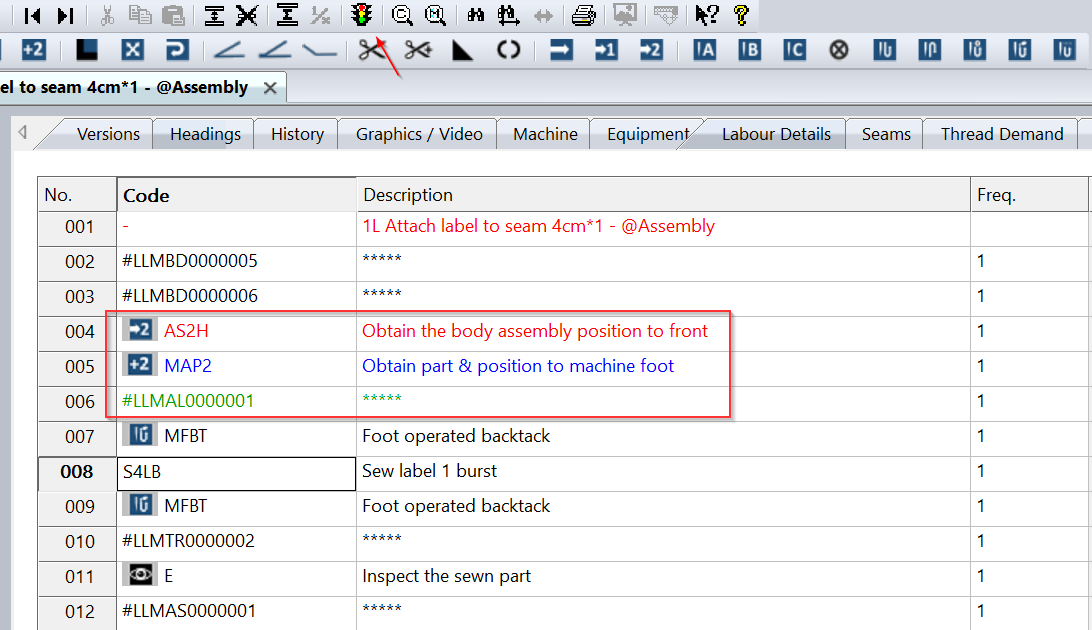
After setting up as above instruction, the highlight icon is enable and user can select the color as below screenshot.