
Solution:
Email can be accessed from most screens (such as Material Manager for example) and then put your mouse over Report:
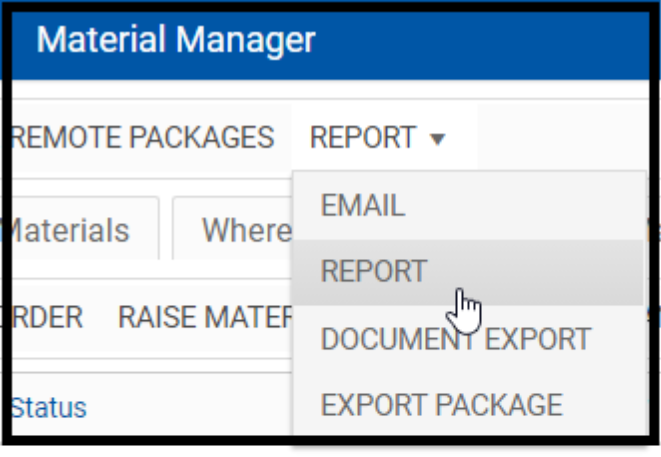
Once you have selected an item from the bottom section (if using Material Manager for example you will need to select a Material), once selected you can then enter the Email section:
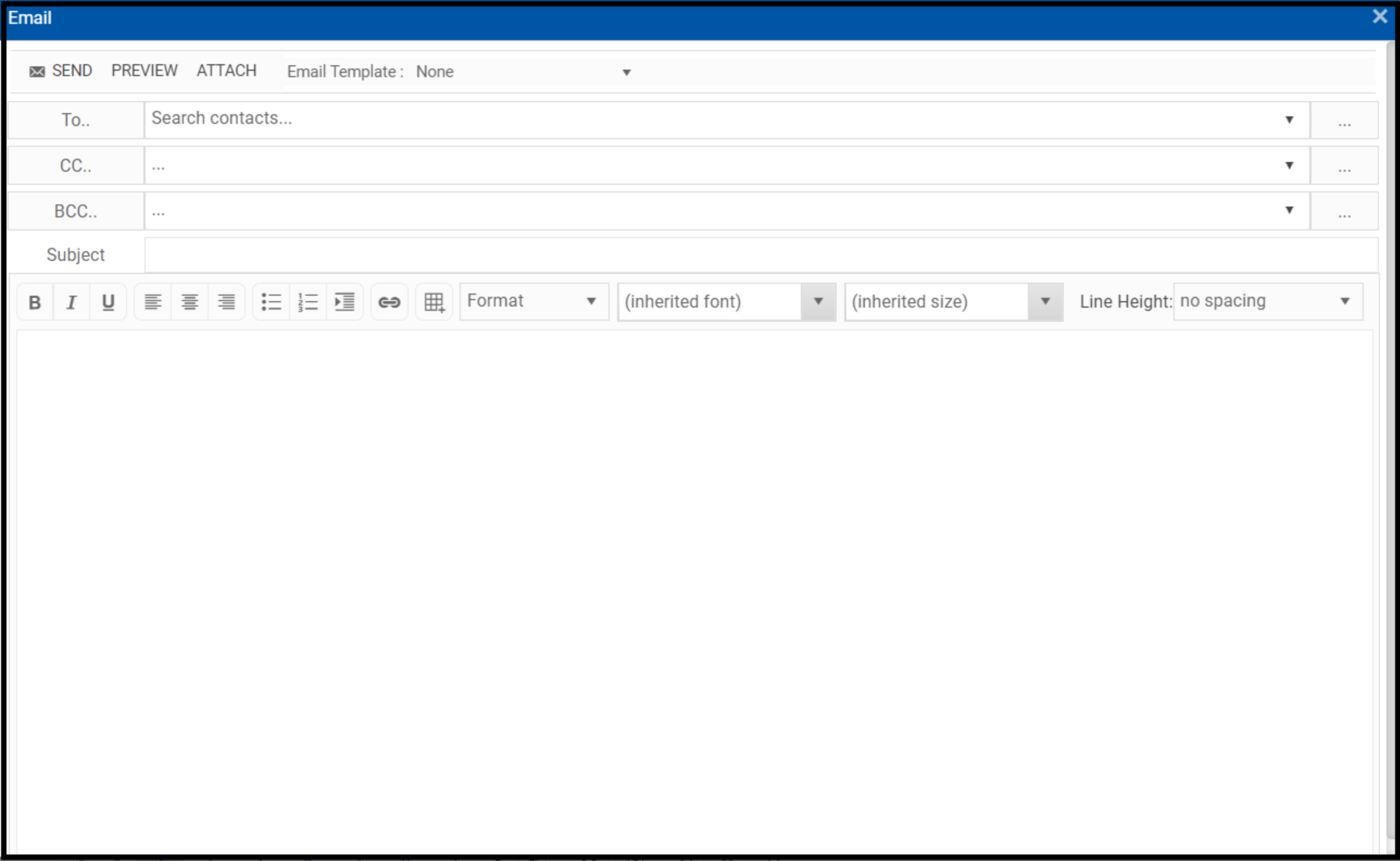
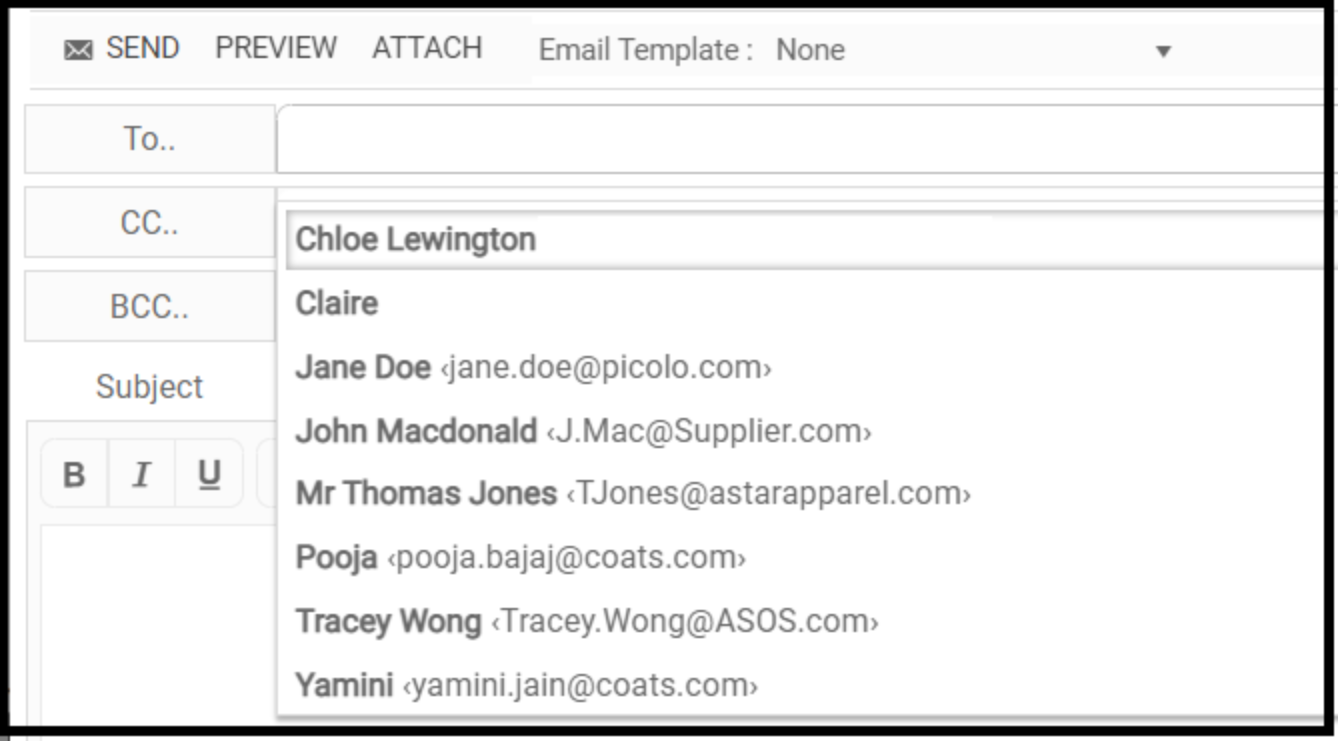
If you have Contacts set up then you easily add them to your To, CC and BCC fields. You can do that by clicking on the input box:
Or you can press any of the To, CC and BCC buttons to launch the address book. From here you can new contacts, or remove any existing ones.
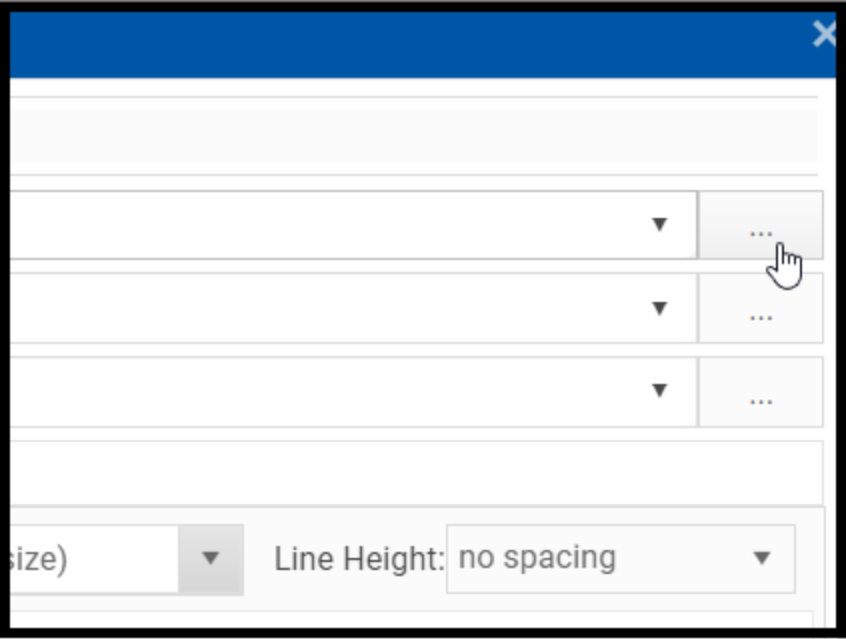
When you want to email someone who is not a contact you can also add their email in manually from the Email window. Pressing the ‘…’ button on the right-hand side will let you manually type in a valid email address:
You can also attach Reports, Documents or Images to your emails by pressing the ATTACH button found next to the SEND button on Email Window.