
Article Public Number: KA-01549
Coats Digital Knowledge Article
Product: FastReactPlan
Materials Query (Calculation)
The Materials Query dialog can be accessed in two ways:
- From the Materials menu.
- From within a Planning Board, by right-clicking and selecting Materials Details from the context menu.

- When opened from the main menu, the dialog presents a dropdown list of available materials. When accessed from the Planning Board, it automatically displays material details related to the selected order.
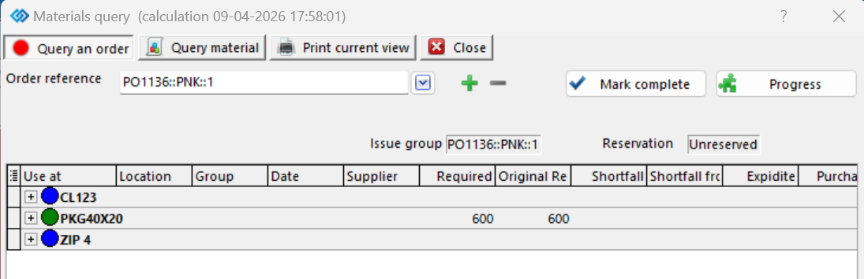
Query an Order
This tab displays the materials used for a specific order, along with their current status.
In addition to the shared data described below, you can view the order’s progress through its various operations by clicking the Progress button. This is particularly useful when material consumption is linked to an operation other than the one shown on the Planning Board. In such cases, the materials requirement may appear lower than expected—or even zero—if the full order quantity has already passed through that operation.
A red text indicator beneath the Progress button shows the quantity of the order that remains unplanned. This is a basic value intended as a reminder: material requirements may require interpretation, as FastReact only calculates demand for the planned portion of an order.
Visual Indicators
Coloured circles displayed in both the Query an Order and Query Materials dialogs are configured via the Planning Board Options dialog during the FastReact system setup.