Article Public Number: KA-01446
Coats Digital Knowledge Article
Product: VisionPLM
- To add a user to a Working Group you'll need to go to Maintainance.
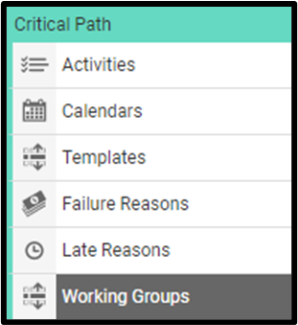
- And under the section for Critical Path click on Working Groups.
- You'll see all the Working Groups and from here you can select the Working Group that you want the user to be added to.
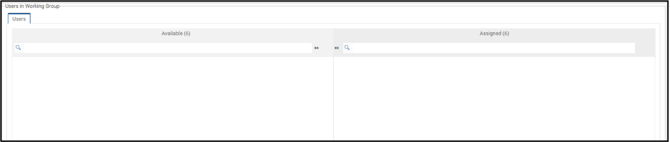
- In the Working Group, there'll be an Available and Assigned column and both columns have a search bar.
- All you need to do is drag the user from Available to Assigned.
- And in the bottom right click the SAVE button and the user will now be assigned to the Working Group.