
Article Public Number: KA-01430
Coats Digital Knowledge Article
Product: VisionPLM
To allocate a Grid Template to a team you'll need to have admin rights to do so.
You'll need to go to Administration > Teams if you are an admin.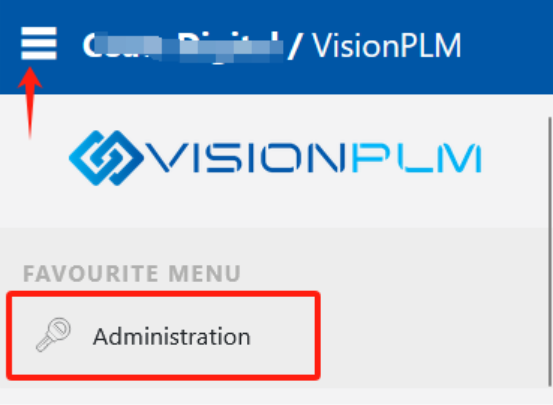
Under the column for name click on the team to which you want to allocate the grid template.
Clicking on the team will load up the permissions for the selected team.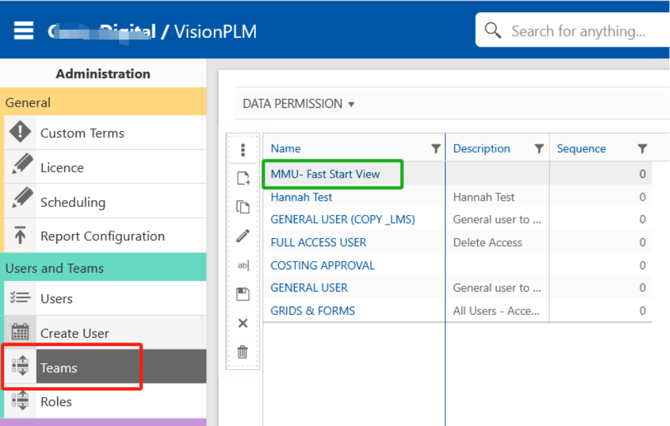
Click on the Grid Templates tab, you'll see a grid with three columns Form, Layout Name and Allocated.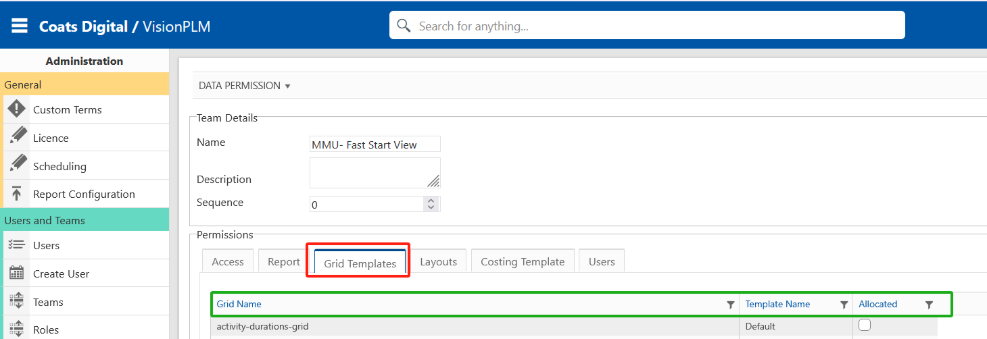
To find the Grid Template that you want to allocate to a team do a filter on the Layout Name column.
Once you've filtered for the Grid Template you'll need to tick the box in the Allocated column.
Lastly, click on Save Team Grid Templates.
The team will now see the Grid Template that has been allocated to them.