
Article Public Number: KA-01029
Coats Digital Knowledge Article
Product: VisionPLM
Purpose & Scope:
The latest versions of VisionPLM always offer the most up to date options within the VisionPLM software, this will also included any fixes that have been identified within previous versions so will provide the best experience for the users.
Solution:
When contacting Support for help with issues such as a certain field isn't being populated, one of the first things that we ask is the version that you are running, this is because the problem may have already been identified and fixed in the latest version, therefore upgrading will resolve this. We always recommend to be running the latest version to see if this type of issue occurs before contacting your local
Instructions:
When a new Version of the software becomes available the Fast React Team will notify you via email. This email will contain your Download UserName, Password, and the Installation Password.
Make sure you are on the correct Server, this will be the server where the VisionPLM program files are located on. If in doubt check the C:\inetpub folder to see if there is a Visionng folder or files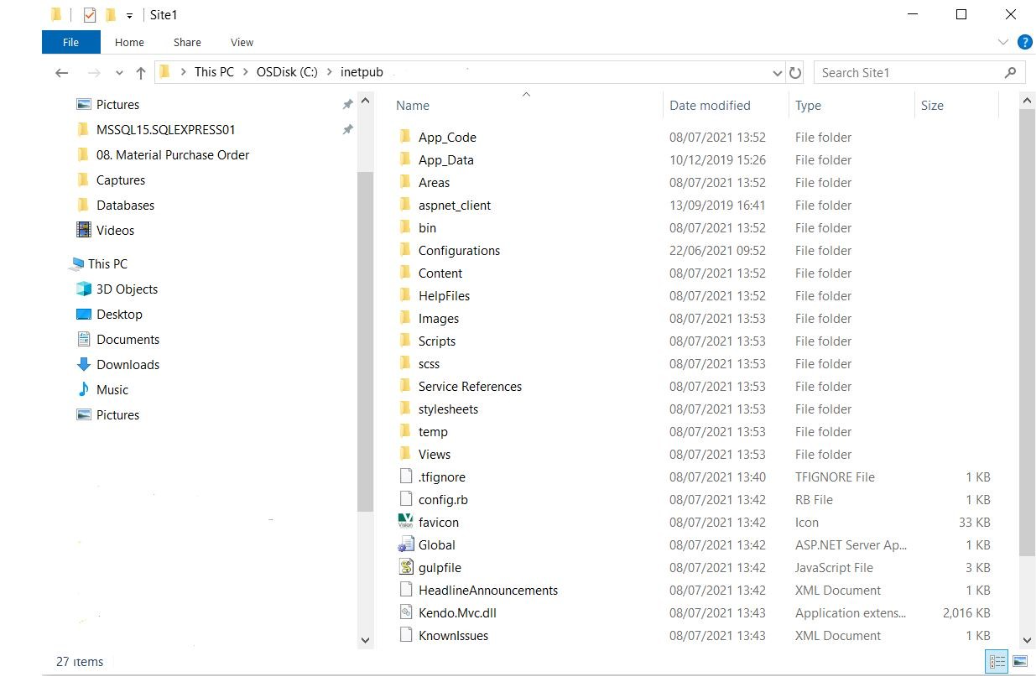
If the files exist then you are on the correct Server.
The document will contain a link to the FastReact Download Site, click on this link and, when asked, enter your UserName and Password. You will then be presented with your download options:
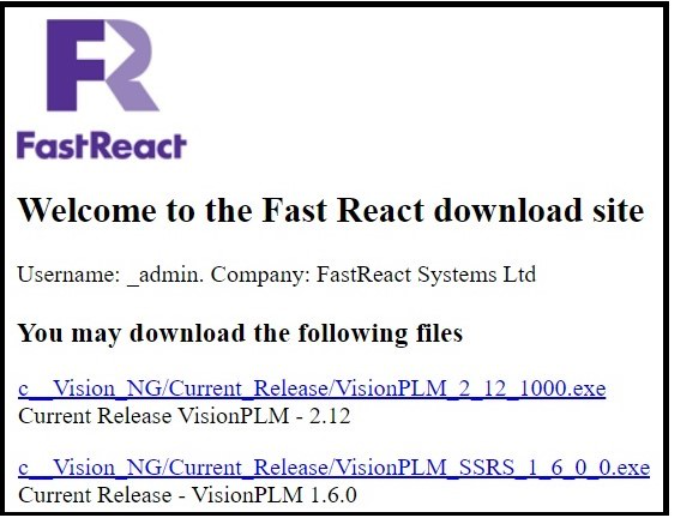
Click on the version you have been advised to download to start the download procedure.
If asked, save the file to the desktop.
Outcome:
Once you have followed the above steps, your VisionPLM upgrade will be ready to install.
Related Articles: