
Article Public Number: KA-01456
Coats Digital Knowledge Article
Product: VisionPLM
Purpose & Scope:
How to edit Advanced Layout for Product Grid in VisionPLM.
Solution:
Click Setting button  > Click Advanced > Select Module > Select needed fields from Available Fields >Click Add > Click Save to save the layout.
Instructions:
Edit Layout for [Insert New Product]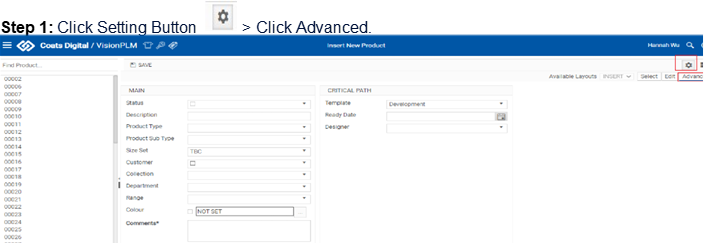
Step 2: Select module (Take MAIN as example)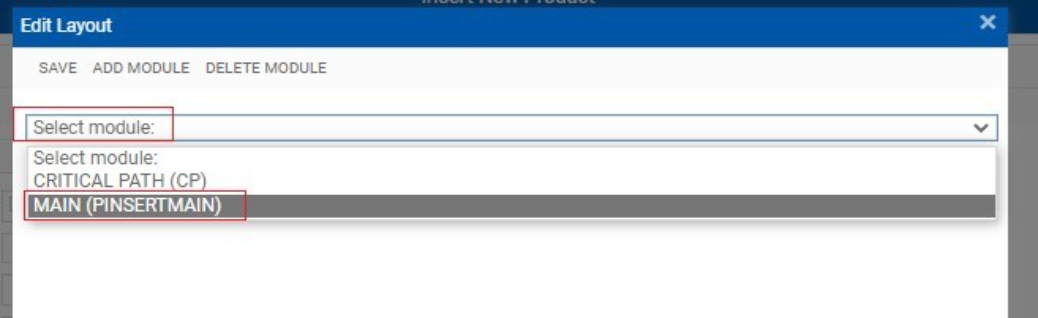
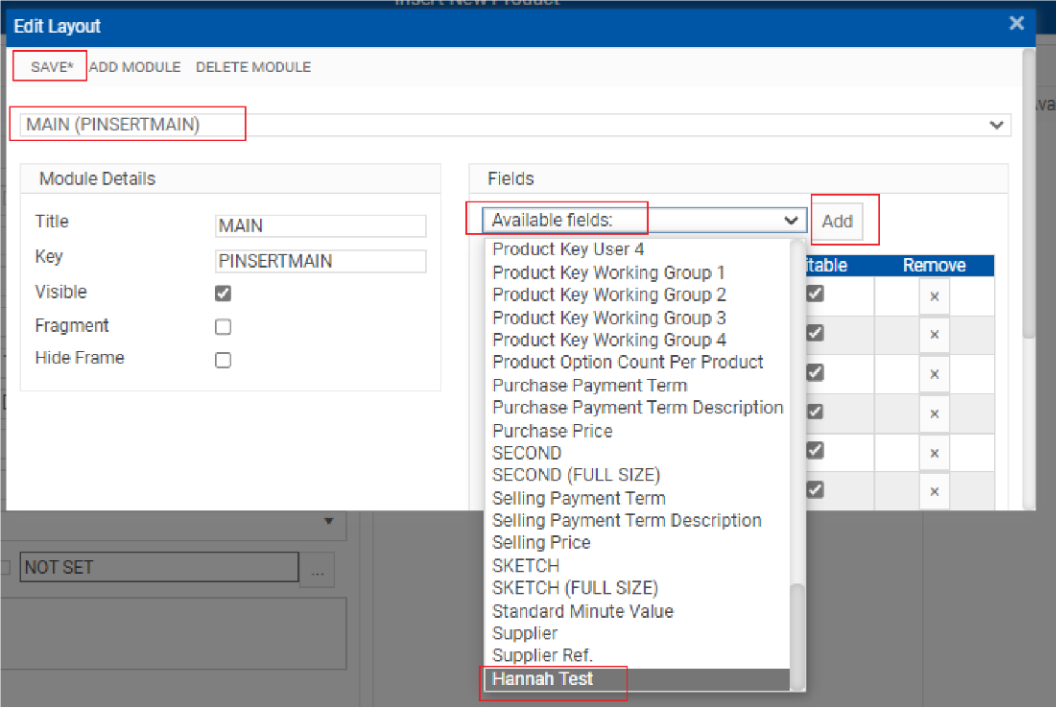
Step 3: Select Fields from Available fields under MAIN module (Take UDF Hannah Test as example) > Click Add > Click Save.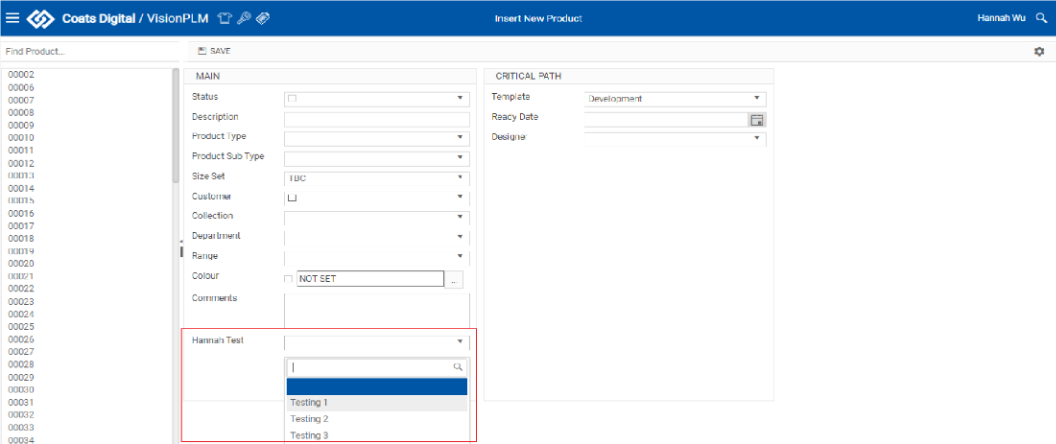
Step 4: Reload/Refresh the browser page > New field would be added to the [MAIN] module.
Edit Layout for [Basic Data]
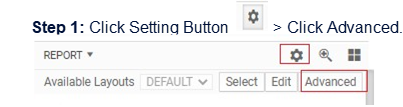
Step 2: Select Page (Take Main as example) > Select module (Take BASIC DATA as example).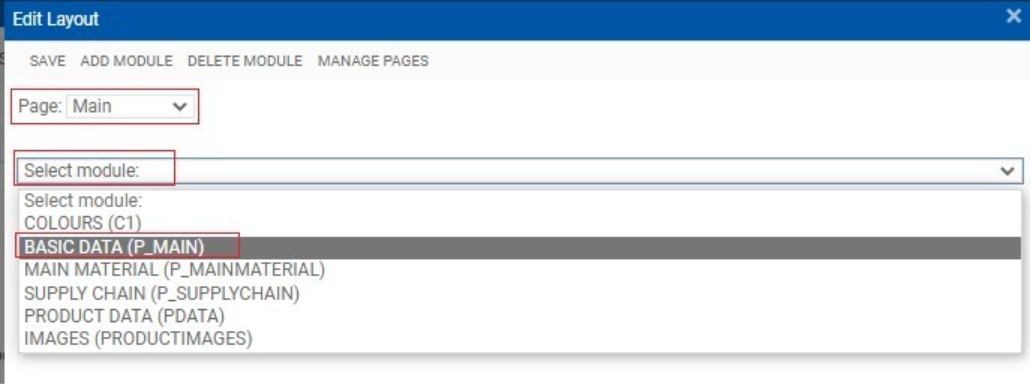
Step 3: Select fields from [Available fields] under module [BASIC DATA] (Take UDF Hannah Test as example) > Click Add > Click Save.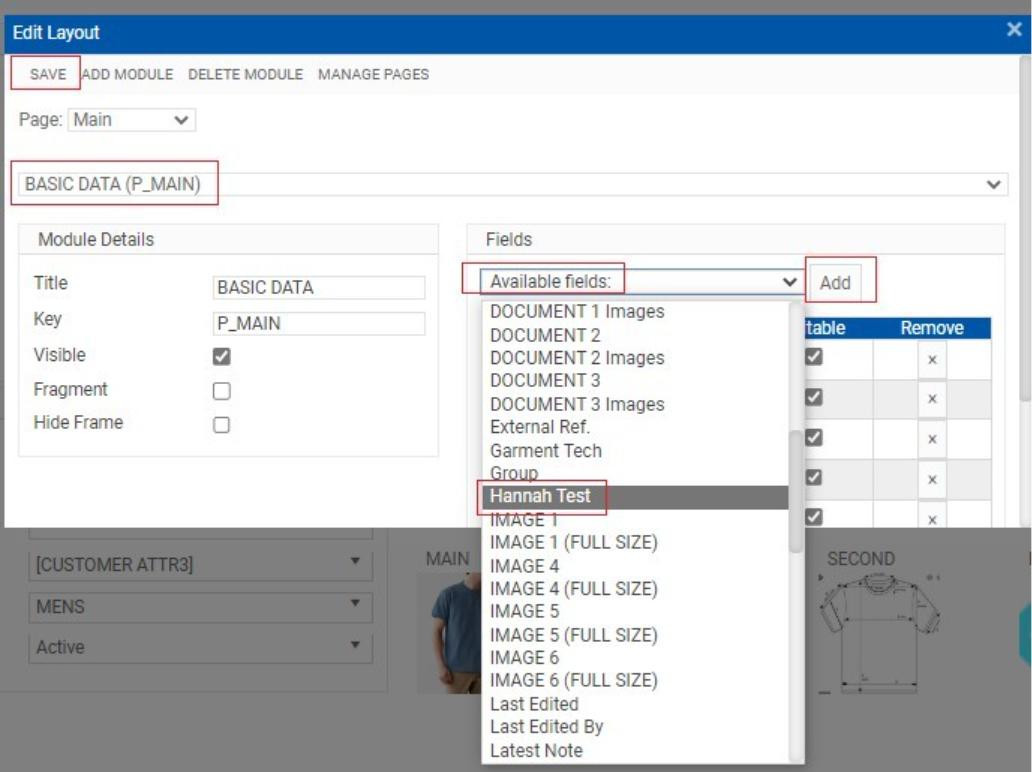
Step 4: Reload/Refresh the browser page > User could find the new added field in the [BASIC DATA] of [MAIN] page.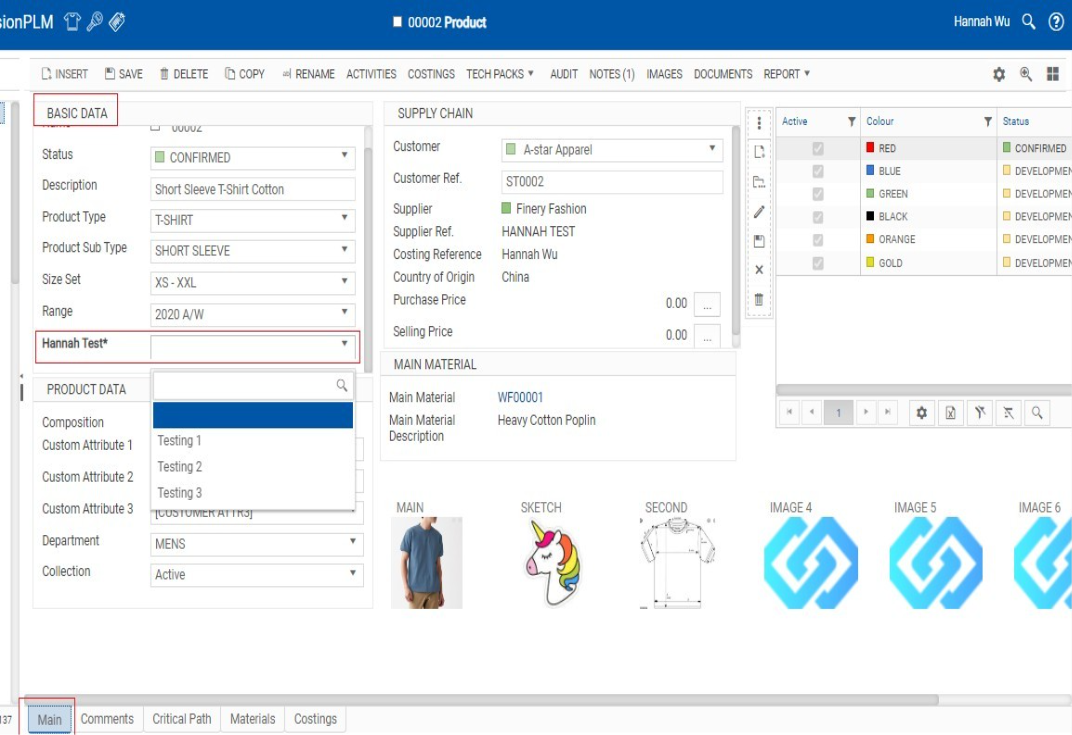
Outcome:
User could edit Advanced Layout for Product module following above instructions.
Further reading:
Links to related articles