
Purpose & Scope:
Brief description of How to import to update values of User Defined Fields(UDF) for Product Option Sizes.
Solution:
Click Maintenance > Click [File Upload] in File Management > Click [FILE FORMATS] > Click [CSV] to download Template for Product Option Sizes > Entry Product Name & Name and UDF info > Click File Upload in Maintenance > Click Select File(s) > Upload PRODUCT_OPTION_SIZES.csv > Click [START] > The files would be successfully uploaded if Status is [Processed].
Instructions:
Step 1 : Click Maintenance > Click [File Upload] in File Management > Click [FILE FORMATS]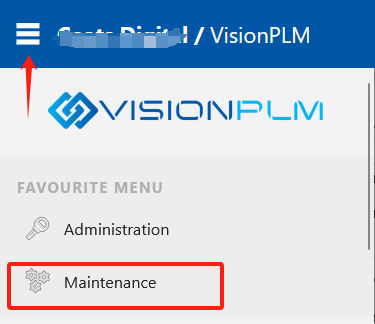
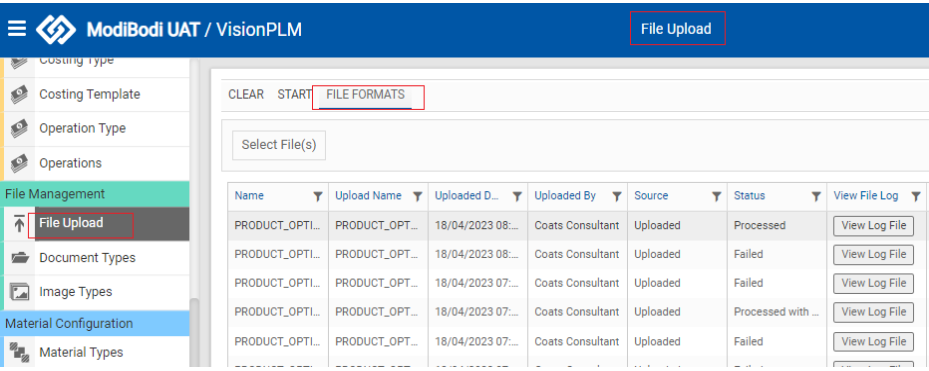
Step 2 :Click File Formats > Click [CSV] to download Template for Product Option Sizes.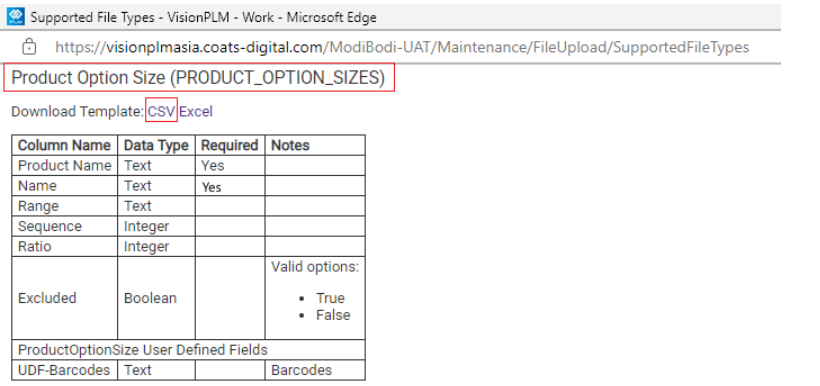
Step 3 : Entry information in PRODUCT_OPTION_SIZES.csv. and Click Save.
Product Name & Name are required fields and other fields are optional.
We need to import to update UDF of Product Option Sizes, therefore we would need to add field UDF-UDF Name(eg: UDF-Barcodes)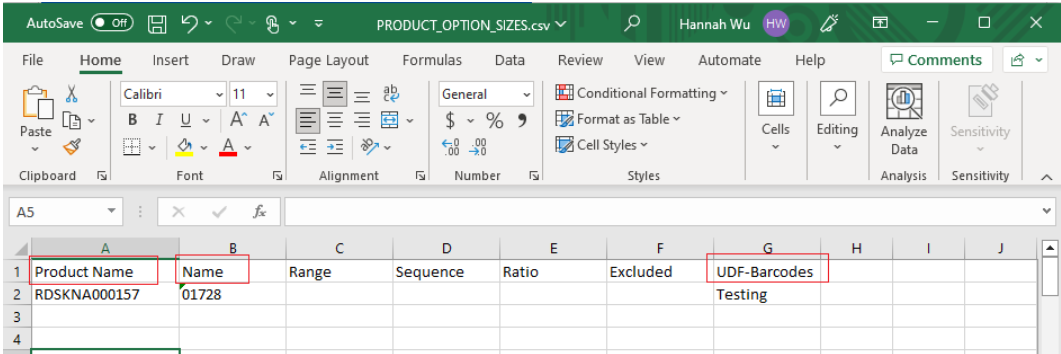
Step 4: Click [Select Files(s)] > Select file PRODUCT_OPTION_SIZES.csv which we have entry the info.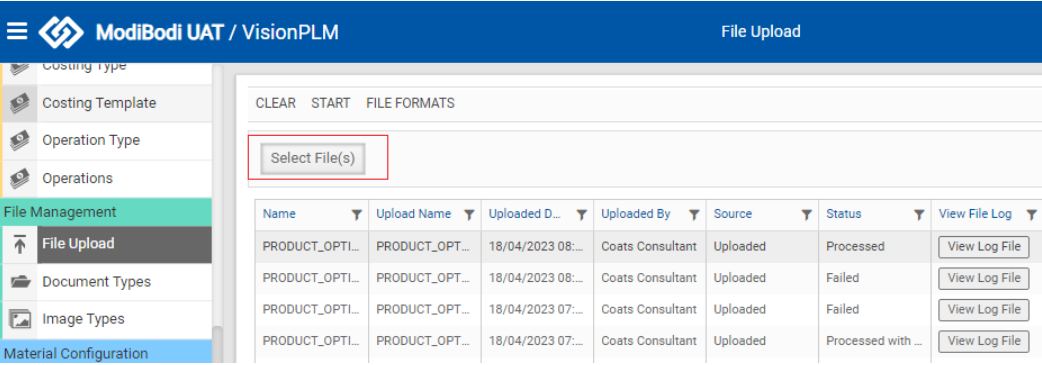
Step 5: Checked the file is 100% uploaded and the [Status] is Uploaded > Click [START].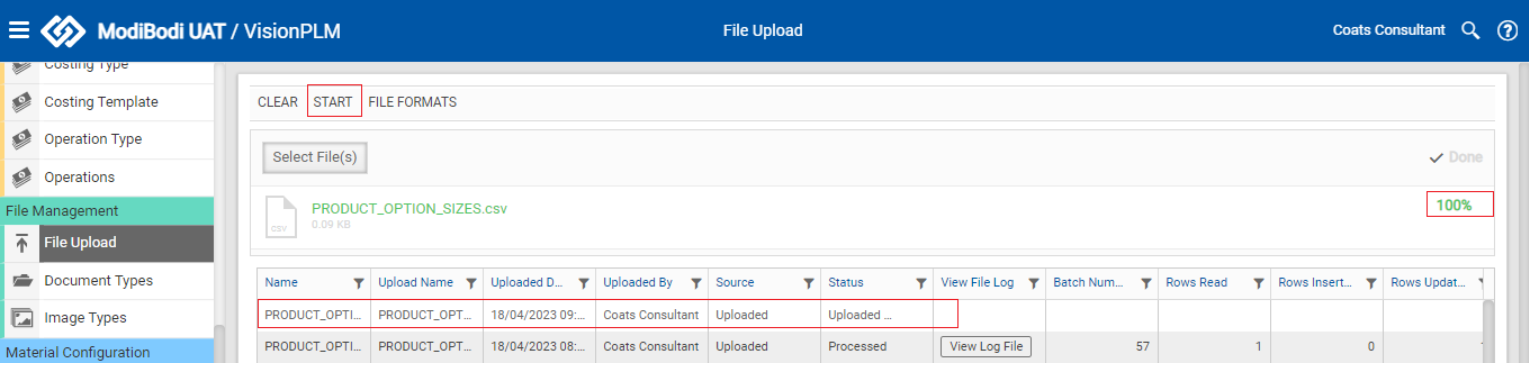
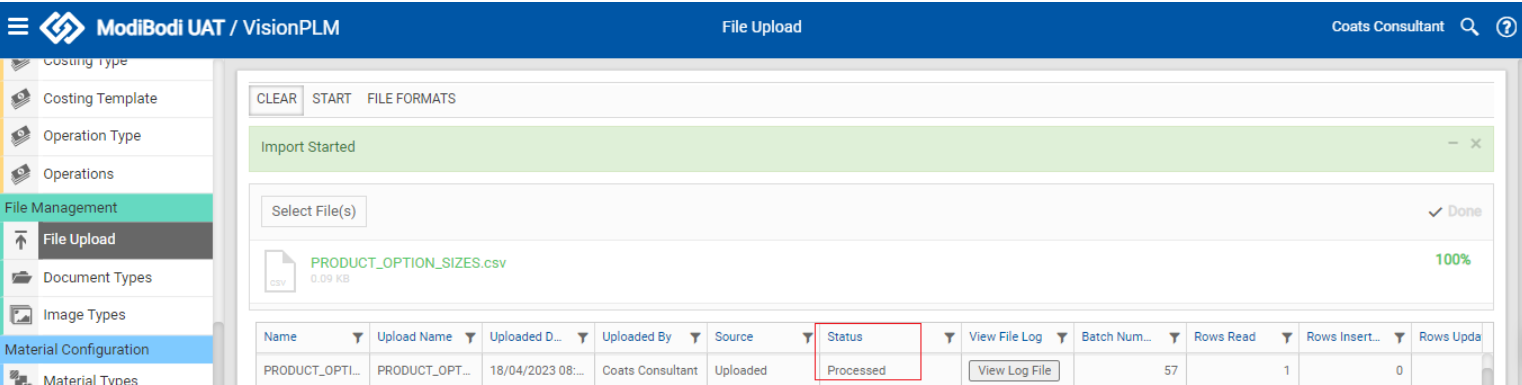
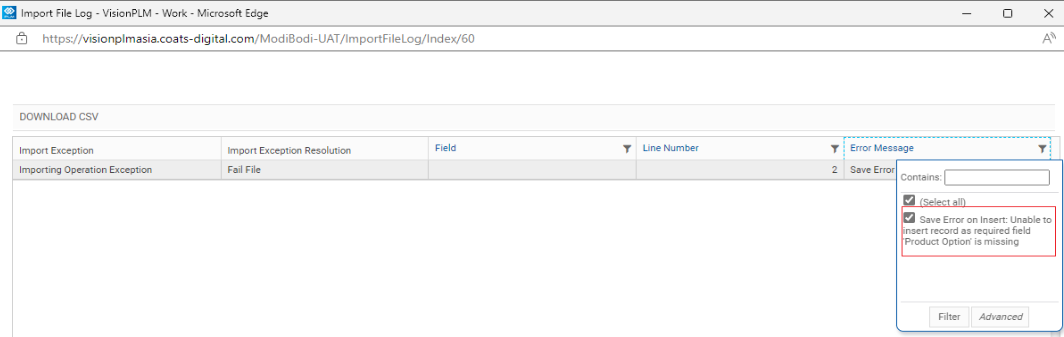
If the [Status] is Failed, pls click [View Log File] to check import error > Pls follow the [Error Message] to correct info in import file and import again.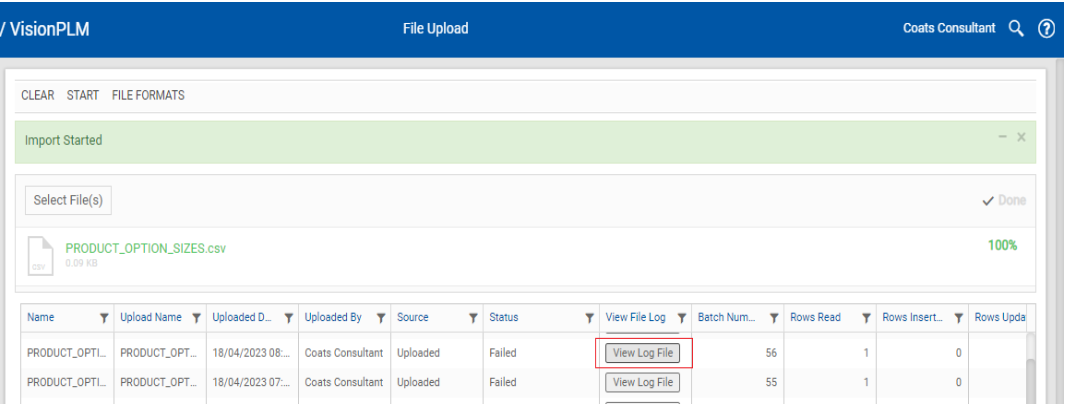
Outcome:
UDF of Product Option Sizes would be imported to update if following above instructions.
Further reading:
Links to related articles