
Article Public Number: KA-01136
Coats Digital Knowledge Article
Product: VisionPLM
Purpose & Scope:
There may be a time when a Customer will appear under a certain Group in the Product Season Tree, however, this Customer may need to be moved to a different group or simply removed altogether.
Solution:
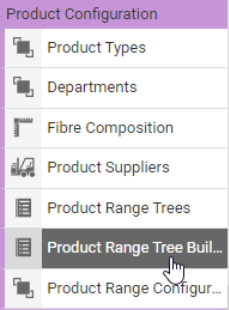
First you need to navigate to the Maintenance area of VisionPLM and then select Product Range Tree Builder, this is located under the Product Configuration menu:
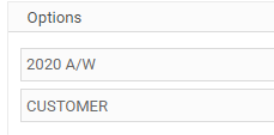
Next you will need to select the season where this needs to be changed, as well as the group as well:
Our first option is to Remove Range Tree Selection, before we do this though we MUST make sure that nothing belongs to this customer or it will be lost, this ALSO applies to the second option which will be shown as well.
Simply highlight the one that you wish to remove and then click the Remove Range Tree Selection: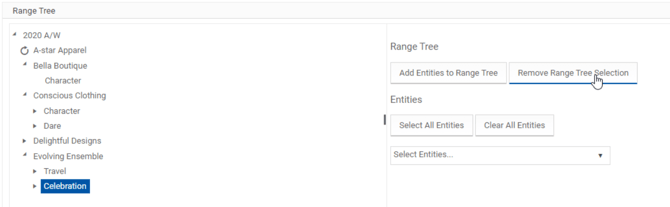
Then, highlight which one it is being moved to, select it from the Entities drop down and then click Add Entities to Range Tree: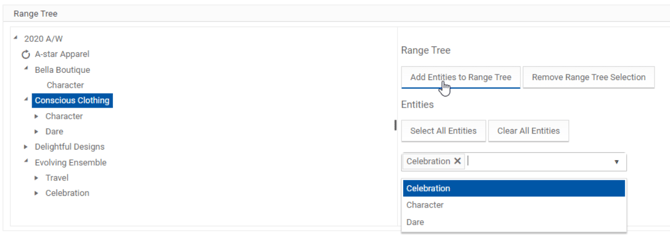
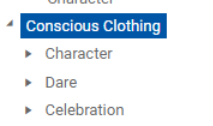
Another way we can do this is by removing the Entity altogether, please make sure there is nothing under this Entity before you do this.
Simply highlight the Entity you want to remove and then click Remove Range Tree Selection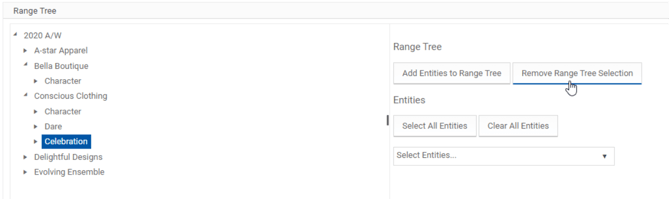
This is the same first step on the previous, however, this is the only step on this one