
Article Public Number: KA-01097
Coats Digital Knowledge Article
Product: VisionPLM
Solution: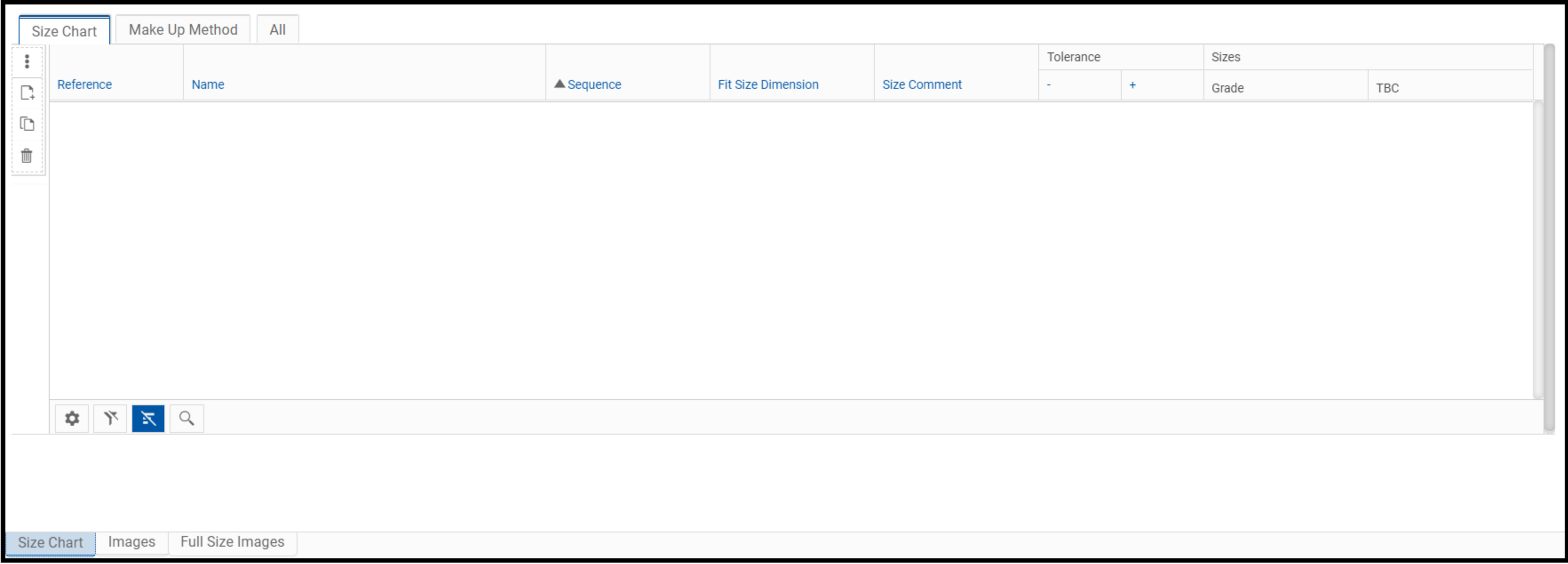
The Size Specification houses both the Size Chart and the Makeup Method for a given Product. It can be accessed through the Product Manager, both offer links on the sub-menu bar:
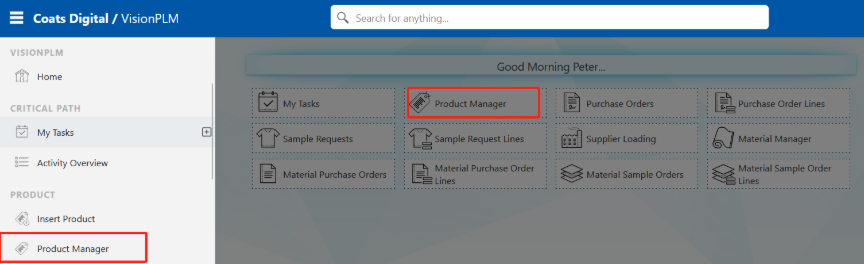
Once in Product manager you need to select a Product, go to Tech Packs and then select Size Specification. The Size Chart is viewed at the bottom of the page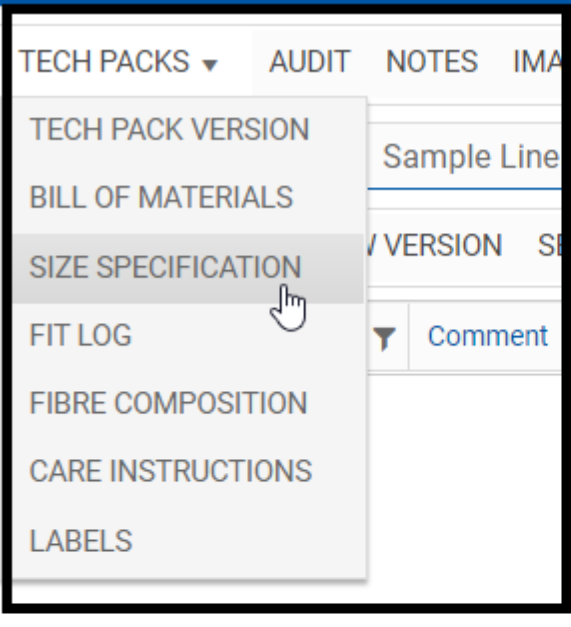
In the Size Chart you can specify the lengths per size per key measurement point. You can either freely type in each measurement point or you can make use of a Base Size and the Grade.
If you provide a Base Size and a Grade, then the Sizes surrounding the Base Size will calculate their lengths using the Grade. Sizes to the left of the Base Size will subtract the Grade, and Sizes to the right will add the Grade.
The Make up Method can specific complex construction instructions using its flexible dynamic grid. All elements to the Make up Method, like the Size Chart, can be configured inside the Maintenance Area.