
Article Public Number: KA-01281
Coats Digital Knowledge Article
Product: VisionPLM
At the time of raising a PO against a style, supplier capacity can be checked in Supplier Loading.
- Tool for managing a Supplier's load (orders) in relation to their available capacity whilst considering CP & delivery.
- Visibility of over capacity - identify capacity issues early enough to re-plan - saving CP costs such as Late Delivery Penalties and Air Freight.
- Visibility of under capacity - save CP costs by moving orders/ or capitalising on cost savings in downtime
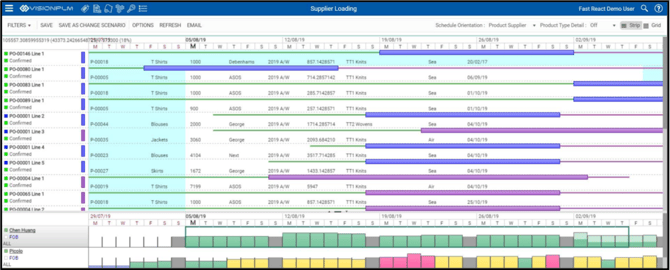
The lower pane of Supplier Loading shows all Product Suppliers and their capacity buckets. These work in a similar manner to the bars on a bar chart.
Each bucket represents a specific day/week (depending on how the window has been configured) and the number of units that the supplier is expected to produce on each day.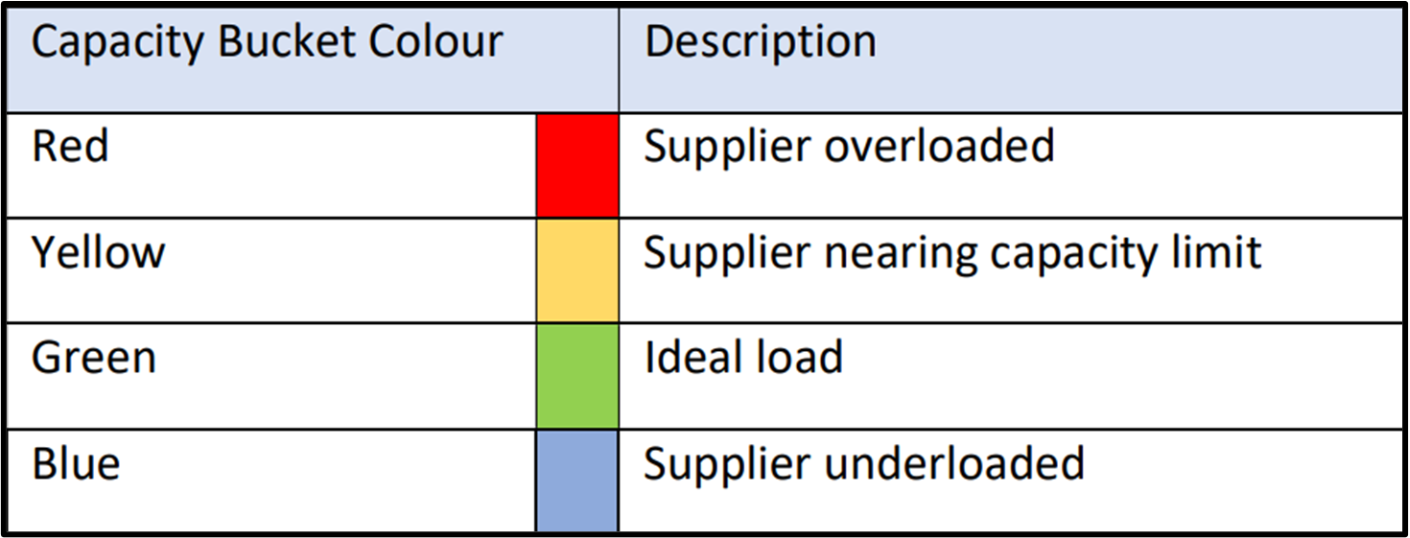
Double-clicking any one of these buckets will display the orders that are filling the bucket.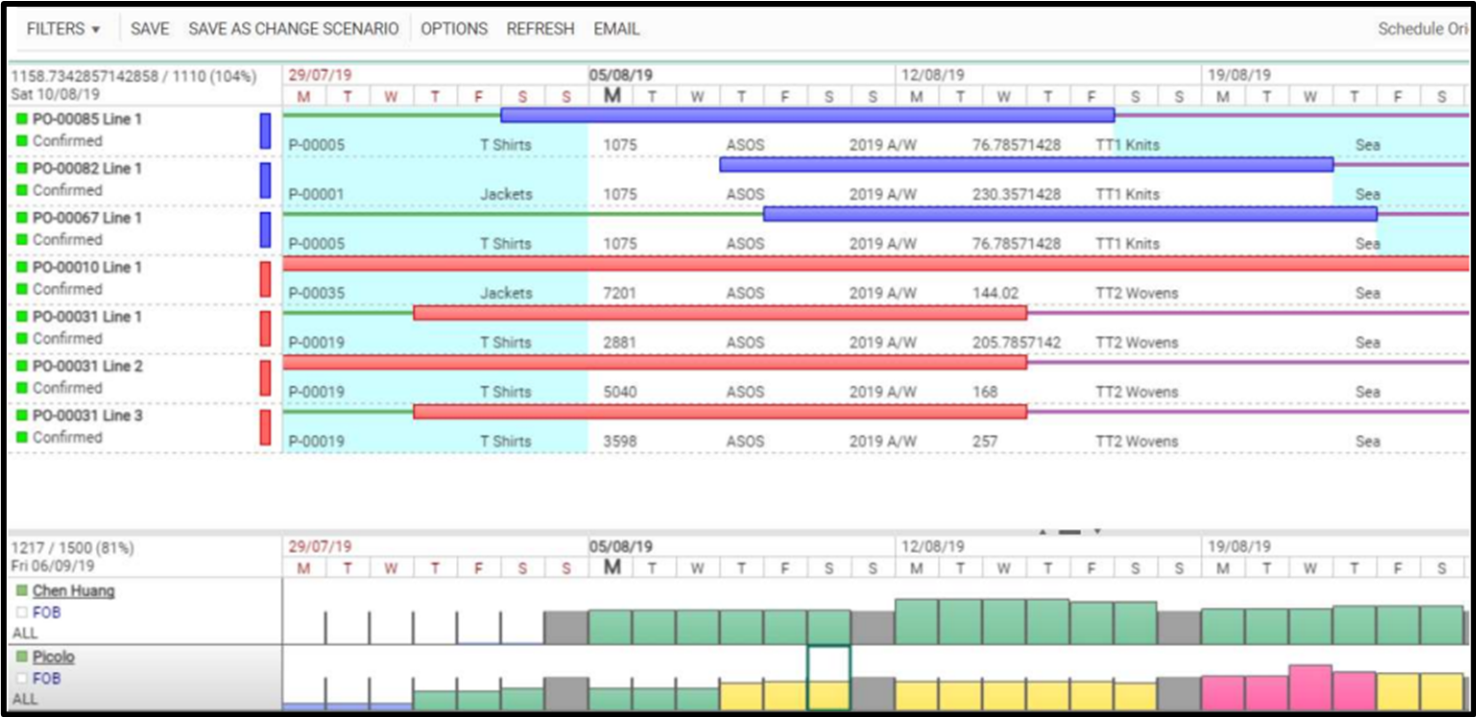
Should supplier demand become unfeasible in any position, the orders contained within each bucket can be moved so that the demand is spread more appropriately.
Users can click on the strip in the top window to drag the production to the left or the right. Once the strip has been released, it will recalculate the capacity bucket below.