Article Public Number: KA-01093
Coats Digital Knowledge Article
Product: VisionPLM
Solution:
How Colours are Stored
Colours are stored in the VisionPLM database as an integer - This is the Hex RGB value converted to decimal (base 16 converted to base 10).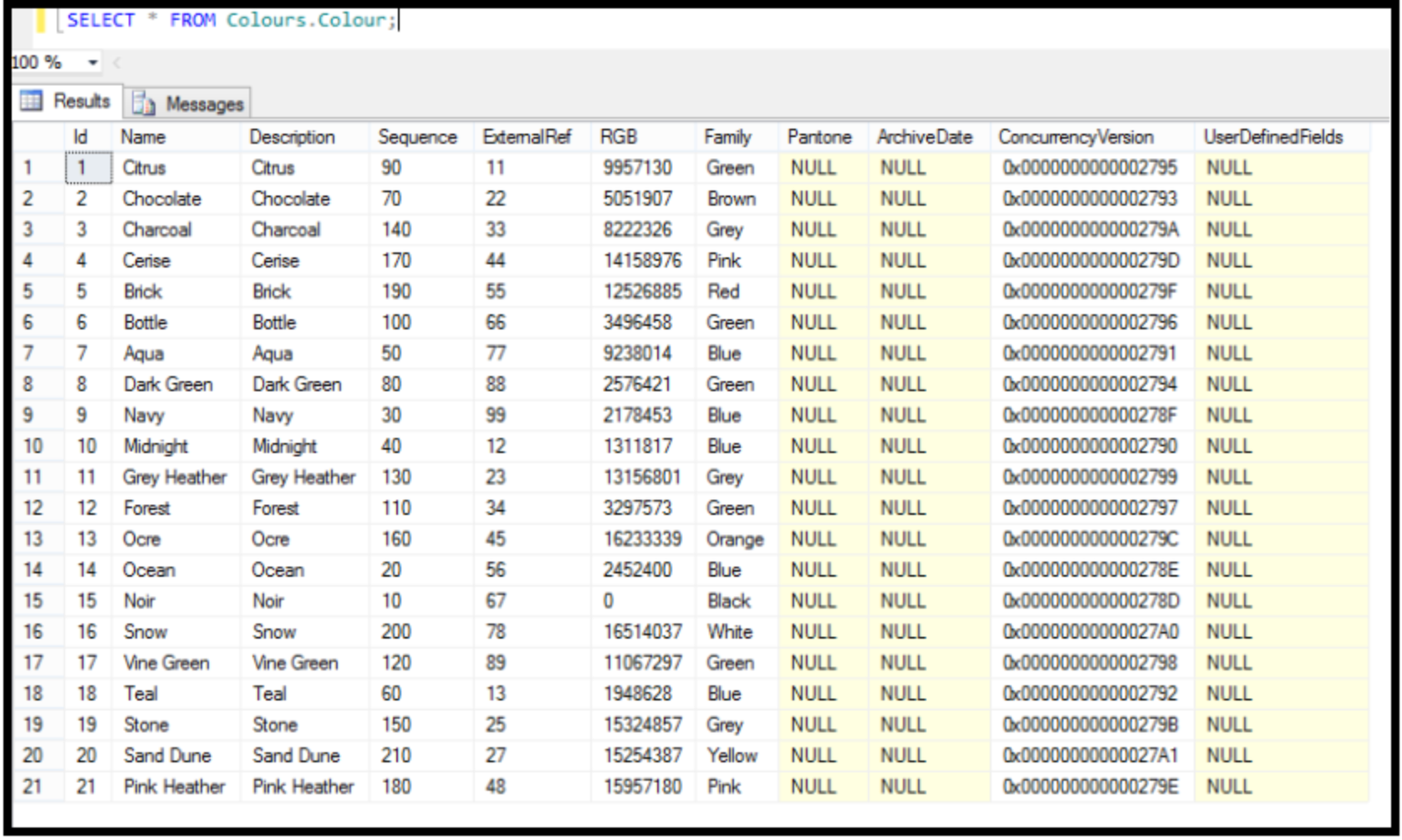
How SSRS uses Colours
SSRS expects colour to be in Hexadecimal (base 16) RGB format, prefixed with a hash, eg. <colour #336699>#336699</colour>.
In order to use the RGB value stored in the NexGen SQL database, you need to first convert the RGB value to Hex, then concatenate a '#' to the beginning.
In the event that the RGB value is 0, Hex will fail to produce #000000 (black). To overcome this you will need to use an Iif statement to deal with 0.
How to use background colours in FR.NET
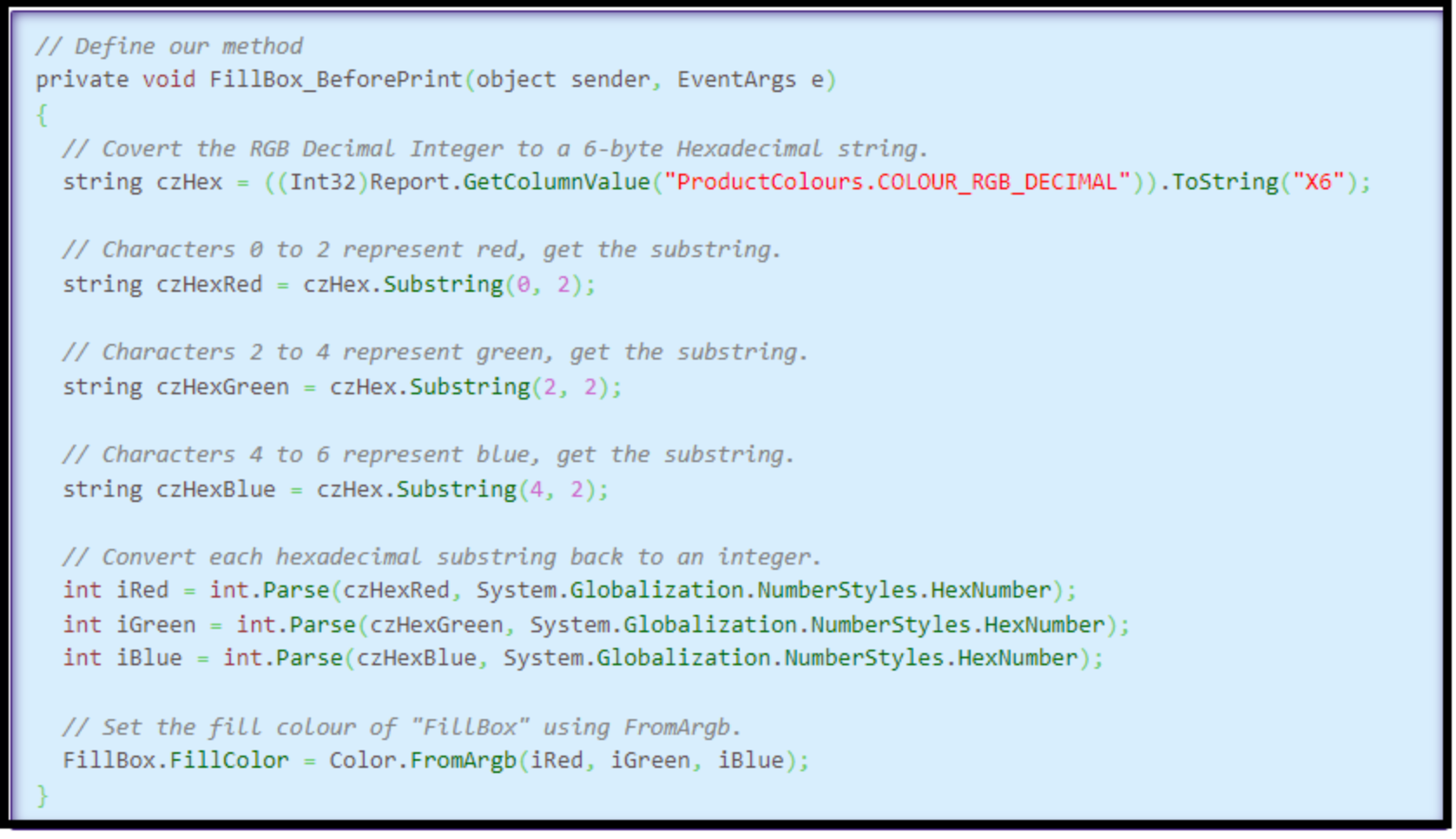
This is a similar process but requires some C# on the BeforePrint Event. Below I have called my box “FillBox”, this will have the background colour from the database.
I have set the “BeforePrint” event to “FillBox_BeforePrint” method, and defined it below: